Modern organizations often treat technology as a separate department rather than a strategic engine. This…
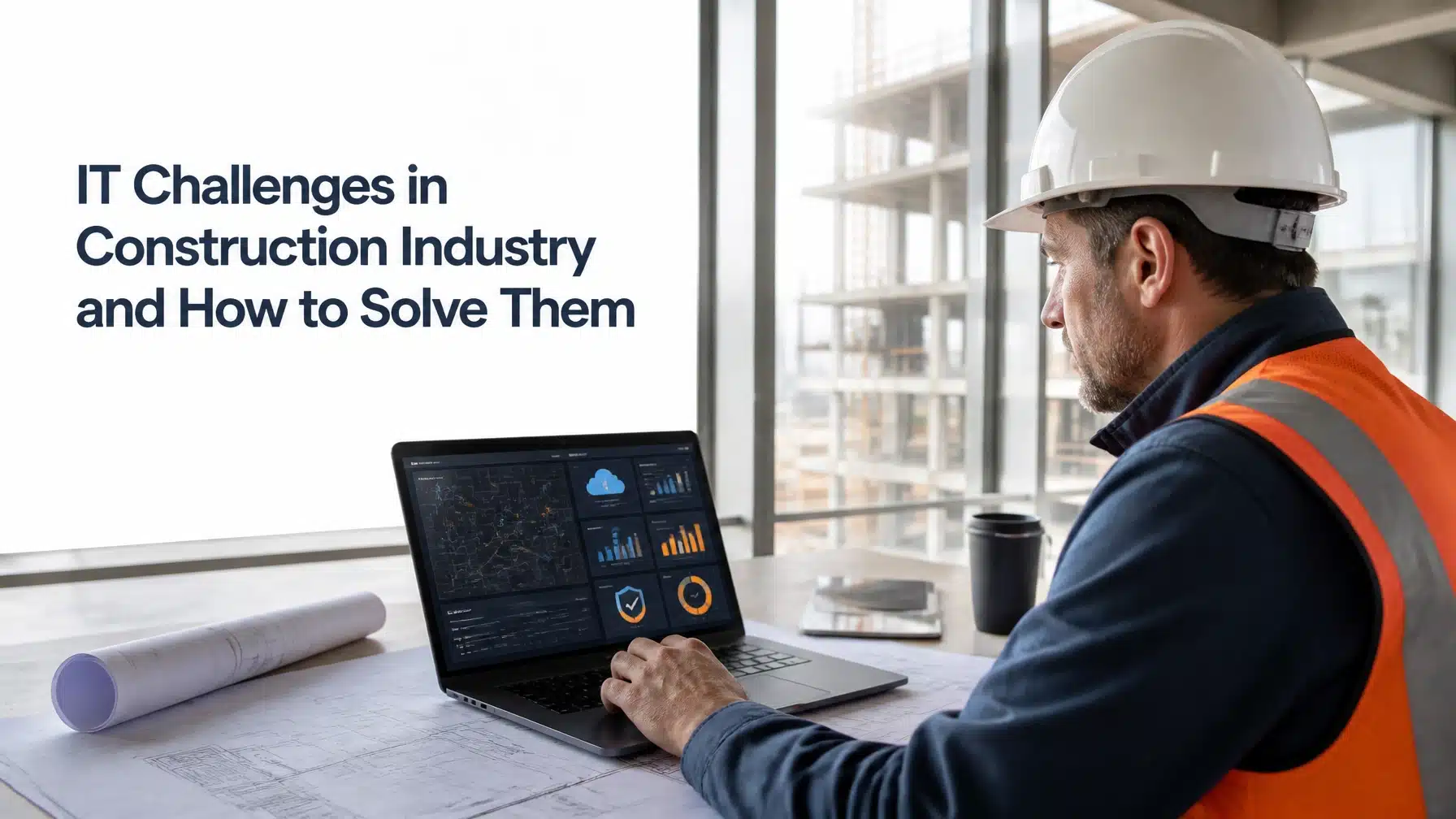
IT Challenges in Construction Industry and How to Solve Them
Construction companies face IT challenges in construction industry because their work happens across offices, jobsites, temporary trailers, mobile teams, cloud platforms, subcontractors, and connected equipment. Technology must support every location without slowing decisions or exposing sensitive project data.
The solution starts with reliable connectivity, standardized devices, secure identities, cloud governance, responsive jobsite support, and a clear technology roadmap. In addition, CISA’s voluntary Cross-Sector Cybersecurity Performance Goals provide a prioritized baseline for reducing common cyber risks. They are not construction regulations, but they offer practical actions for organizations of many sizes.
Why Construction Companies Face Unique IT Challenges
Construction IT includes the systems, devices, networks, applications, and support processes that keep projects moving. That environment differs from a traditional office.
Your teams may work from a corporate office in Austin, a temporary trailer in San Antonio, and several remote jobsites across Texas. Meanwhile, project managers, superintendents, subcontractors, architects, owners, and vendors need timely access to the same information.
Jobsite connectivity means more than having an internet connection. It includes secure Wi-Fi, cellular service, backup connectivity, network monitoring, device access, and offline workflows.
Construction companies also face changing project teams, physical weather exposure, shifting site layouts, and demanding deadlines. Consequently, a short technology interruption can delay approvals, inspections, communications, or field work.
Example, not a Terminal B client claim: A superintendent opens a tablet to review the latest plans. The jobsite connection fails, and the device has not synchronized the newest drawings for offline access. The crew uses an outdated version, creating rework and avoidable schedule pressure.
10 IT Challenges in Construction Industry and How to Solve Them
1. Unreliable Jobsite Connectivity
Remote sites often lack stable broadband. Steel structures, concrete walls, weather, distance, and network congestion can create dead zones.
However, consumer hotspots rarely provide the reliability or security your project requires.
Practical solutions include:
- Complete a site survey before mobilization.
- Use primary and backup connectivity.
- Add cellular failover for critical locations.
- Deploy secure, business-grade Wi-Fi.
- Monitor bandwidth, signal strength, and uptime.
- Support approved VPN or Zero Trust access.
- Configure offline synchronization for critical applications.
- Document escalation procedures for outages.
A VPN, or virtual private network, encrypts a connection between an authorized device and a protected environment. Zero Trust goes further by verifying users, devices, and access requests continuously instead of trusting a network automatically.
2. Cybersecurity Across Offices, Jobsites, and Mobile Devices
Construction cybersecurity must protect email, project files, payment workflows, mobile devices, cloud applications, and connected equipment. Attackers often target credentials, invoices, plans, and vendor communications.
Therefore, your security program must address both technology and human behavior.
Use:
- MFA, or multi-factor authentication, for email, financial systems, cloud platforms, and remote access.
- EDR, or endpoint detection and response, to identify suspicious activity on laptops and workstations.
- Mobile device management for field tablets and phones.
- Timely operating system, application, and firmware patching.
- Phishing and payment-fraud awareness training.
- Email security and domain protection.
- Tested backups and documented incident response.
- Secure configurations for routers, laptops, and mobile devices.
CISA’s CPGs offer voluntary baseline guidance. Meanwhile, the NIST Cybersecurity Framework 2.0 helps organizations identify, prioritize, and communicate cybersecurity risk. NIST does not prescribe one technology stack, and the framework is not a construction-specific regulation.
3. Too Many Devices and Inconsistent Configurations
A growing construction company may manage laptops, tablets, smartphones, printers, scanners, cameras, access points, and specialized equipment. Without an accurate inventory, devices can become invisible security gaps.
Standardize your environment with:
- A complete asset inventory.
- Approved device profiles.
- MDM, or mobile device management, for tablets and phones.
- Full-disk encryption.
- Remote lock and wipe capabilities.
- Defined replacement and lifecycle procedures.
- Spare-device processes for critical roles.
- Immediate offboarding when employees or subcontractors leave.
Moreover, assign each device to a person, project, or department. This creates accountability and simplifies recovery during project closeout.
4. Cloud File Sharing and Document Control
Cloud collaboration supports drawings, RFIs, submittals, schedules, change orders, and closeout records. Yet poorly governed cloud storage can create duplicate files, outdated plans, excessive permissions, and accidental external sharing.
Your construction IT solutions should include:
- Microsoft 365 and SharePoint governance.
- Role-based permissions.
- Version control.
- External-sharing rules.
- Retention and deletion standards.
- Backup and recovery planning.
- Approved offline access.
- Ownership for every major project workspace.
For example, a subcontractor should not receive unrestricted access to every project folder. Instead, give that user access to the documents required for the assigned scope, then remove it when the work ends.

5. Subcontractor and Third-Party Access
Subcontractors and vendors need digital access to complete their work. However, shared accounts and permanent permissions create unnecessary risk.
Use identity-based access whenever possible. Then apply least privilege, which means users receive only the access necessary for their responsibilities.
Your process should include:
- Individual accounts instead of shared credentials.
- MFA for external users.
- Time-limited or project-limited access.
- Separate project workspaces.
- Vendor security requirements.
- Activity logging.
- Regular access reviews.
- Immediate offboarding after project completion.
Additionally, include technology and security expectations in contracts where appropriate. Confirm who owns account creation, support, incident reporting, and access removal.
6. Project-Management and Collaboration System Integration
Construction teams often use separate systems for project management, accounting, estimating, document control, human resources, and communications. Disconnected systems force employees to enter information repeatedly.
That duplication increases errors and slows reporting.
Start by mapping your systems and assigning data owners. Next, identify which information must move between platforms. Then evaluate secure integrations.
An API, or application programming interface, allows software systems to exchange data. Secure APIs can reduce duplicate entry, but they require authentication, permission controls, logging, and testing.
Before launching an integration, confirm:
- The business owner.
- The technical owner.
- The data source.
- The data destination.
- Failure notifications.
- Backup procedures.
- Support responsibilities.
7. Technology Downtime During Critical Project Phases
Technology failures become especially disruptive during bidding, mobilization, inspections, commissioning, and closeout. A problem with email, project software, access control, or connectivity can affect several teams at once.
Build resilience through:
- 24/7 monitoring.
- Clear help desk escalation.
- A critical-application inventory.
- Backup and recovery procedures.
- Redundant connectivity or services.
- Business continuity plans.
- Priority response procedures.
- Regular recovery testing.
Define your RTO and RPO. The recovery time objective, or RTO, describes how quickly you need a service restored. The recovery point objective, or RPO, describes how much recent data you can afford to lose.
8. Connected Equipment, Cameras, Access Control, and Building Systems
Not every construction project contains operational technology, or OT. However, connected cameras, access systems, sensors, building controls, and specialized equipment can create additional risk.
CISA recommends removing unnecessary OT connections from the public internet, changing default passwords, securing remote access, and separating IT and OT networks. Its Primary Mitigations to Reduce Cyber Threats to Operational Technology guidance provides useful context for organizations with connected operational systems.
Apply these controls where relevant:
- Segment connected equipment from office networks.
- Remove default passwords.
- Track firmware and software versions.
- Require secure vendor remote access.
- Review vendor configurations.
- Monitor unusual activity.
- Schedule changes during safe maintenance windows.
- Maintain manual operating procedures where feasible.
CISA’s Secure by Demand guidance for OT owners and operators also encourages organizations to evaluate security capabilities when selecting digital products.
9. Poor Technology Planning and Unclear Ownership
Some construction companies purchase technology project by project. That approach can create incompatible tools, unsupported devices, and unclear responsibilities.
Instead, create a construction IT roadmap that covers:
- Project kickoff requirements.
- Connectivity standards.
- Approved applications.
- Device standards.
- Security controls.
- Vendor responsibilities.
- Support escalation.
- Budget planning.
- Change management.
- Project closeout.
Moreover, assign ownership before deployment. Someone should know who approves access, who supports the system, who reviews security, and who makes final business decisions.
10. Lack of Specialized Construction IT Support
Generic IT support may not understand temporary offices, field conditions, project platforms, subcontractor access, or mobile crews. Construction companies need support that connects technology decisions to schedules, safety, productivity, and project accountability.
A specialized provider should understand:
- Jobsite connectivity.
- Cloud collaboration.
- Project-management applications.
- Mobile device support.
- Construction cybersecurity.
- Microsoft 365 and Azure.
- Vendor coordination.
- Backup and recovery.
- Field-aware escalation.
Construction Cybersecurity Best Practices
Use this checklist to evaluate your current program:
- MFA protects email, cloud applications, finance systems, and remote access.
- EDR protects company-managed computers.
- MDM manages mobile devices and tablets.
- Critical systems receive timely patches.
- Backups complete successfully and restoration tests occur.
- Project and vendor access receives periodic review.
- Email security protects against phishing and spoofing.
- Payment changes require independent verification.
- Guest and subcontractor networks remain separated.
- Incident response roles are documented.
- Employees receive practical security awareness training.
- High-risk vulnerabilities receive assigned owners and deadlines.
- Cyber insurance requirements are documented and reviewed.
Security culture matters just as much as security software. Your employees should know how to report suspicious messages, verify payment changes, protect shared devices, and escalate unusual activity.
For workplace safety program context, OSHA’s Recommended Practices for Safety and Health Programs provides guidance for building and improving safety programs. OSHA guidance does not establish a construction-specific cybersecurity rule. Still, reliable and secure technology supports dependable communication, reporting, and safety processes.
How to Build a Reliable Jobsite Technology Plan
Before Mobilization
Complete a site survey and document:
- Available internet and cellular service.
- Backup connectivity options.
- Power and equipment locations.
- Users and devices.
- Required applications.
- Security controls.
- Vendor contacts.
- Support escalation.
- Offline work requirements.
During the Project
Monitor connectivity and critical applications. Track assets, review access, and document changes.
In addition, provide a clear jobsite IT support process. Field staff should know where to report an outage, lost device, suspicious email, or application failure.
At Closeout
Remove temporary accounts and recover assigned devices. Archive project data according to your retention policy.
Then document lessons learned. Record recurring outages, application issues, support requests, and security concerns. Use that information to improve the next project.

Metrics Construction Leaders Should Track
Useful metrics should show productivity, risk reduction, and recovery speed. Track:
- Jobsite connectivity uptime.
- Critical application availability.
- Help desk first-response time.
- Help desk resolution time.
- Device compliance and patch coverage.
- MFA and MDM coverage.
- Phishing-reporting rate.
- Backup success.
- Restoration-test results.
- Open high-risk vulnerabilities.
- Vendor-access review completion.
- Technology issues by cause and project.
Review these metrics during leadership meetings and quarterly business reviews. Consequently, IT becomes a measurable part of project performance rather than an emergency-only function.
How Terminal B Solves Construction IT Challenges
Terminal B helps construction companies build dependable technology across offices, jobsites, and mobile teams. Our Skytivity proactive managed IT model combines monitoring, maintenance, support, security, and strategic planning.
Our construction-focused capabilities include:
- 24/7/365 Skytivity Secure Help Desk support.
- Skytivity Sys Admin Services for complex infrastructure.
- Proactive monitoring and maintenance.
- Patch management and EDR.
- MDM and MFA deployment.
- Security awareness training.
- Microsoft 365 and Azure management.
- Cloud governance and collaboration support.
- Backup and recovery planning.
- Quarterly business reviews.
- vCIO and IT consulting.
- Jobsite connectivity planning.
- Secure access and vendor coordination.
As a Microsoft Security Solution Partner, Terminal B can help you strengthen Microsoft 365 and Azure environments while supporting field access and collaboration. Our Central Texas and Austin presence also supports construction companies that need responsive, field-aware assistance.
We work with organizations across construction, manufacturing, healthcare, life sciences, financial services, high tech, and other demanding industries. Therefore, we understand how to balance productivity, security, compliance, and operational continuity.
Learn more about construction IT solutions from Terminal B or review our managed IT services to see how proactive support can simplify your environment.
Keep Your Construction Projects Moving
Your technology should support decisions, protect project information, and keep field teams productive. If unreliable connectivity, inconsistent devices, cloud access, or cybersecurity gaps create risk, now is the right time to establish a roadmap.
Schedule an IT strategy session with Terminal B to discuss your jobsites, systems, security priorities, and business goals. We will help you identify practical next steps for more reliable IT support for construction companies.
Frequently Asked Questions
What are the biggest IT challenges in the construction industry?
The largest challenges include unreliable jobsite connectivity, mobile device management, cloud document control, subcontractor access, cybersecurity, application integration, downtime, and unclear technology ownership.
How can construction companies secure jobsite devices?
Use managed devices with encryption, MFA, EDR, MDM, automatic patching, remote-wipe capability, and secure Wi-Fi. Also, train employees to report lost devices, suspicious messages, and unusual account activity.
What is the best way to manage subcontractor access?
Give each subcontractor an individual account with MFA and least-privilege access. Limit permissions by project and role, review activity, set expiration dates, and remove access immediately after the work ends.
How can an MSP support multiple construction jobsites?
An MSP can standardize devices, monitor networks, manage cloud systems, provide help desk support, coordinate vendors, oversee security controls, and document each site’s technology requirements.
What should be included in a construction IT plan?
Include connectivity, power, devices, applications, user roles, security, backup, support escalation, vendor contacts, access reviews, business continuity, and closeout procedures. The plan should also assign clear ownership.
Related Posts