Fraud prevention technology combines the tools, processes, and safeguards that detect fraud, block unauthorized activity,…
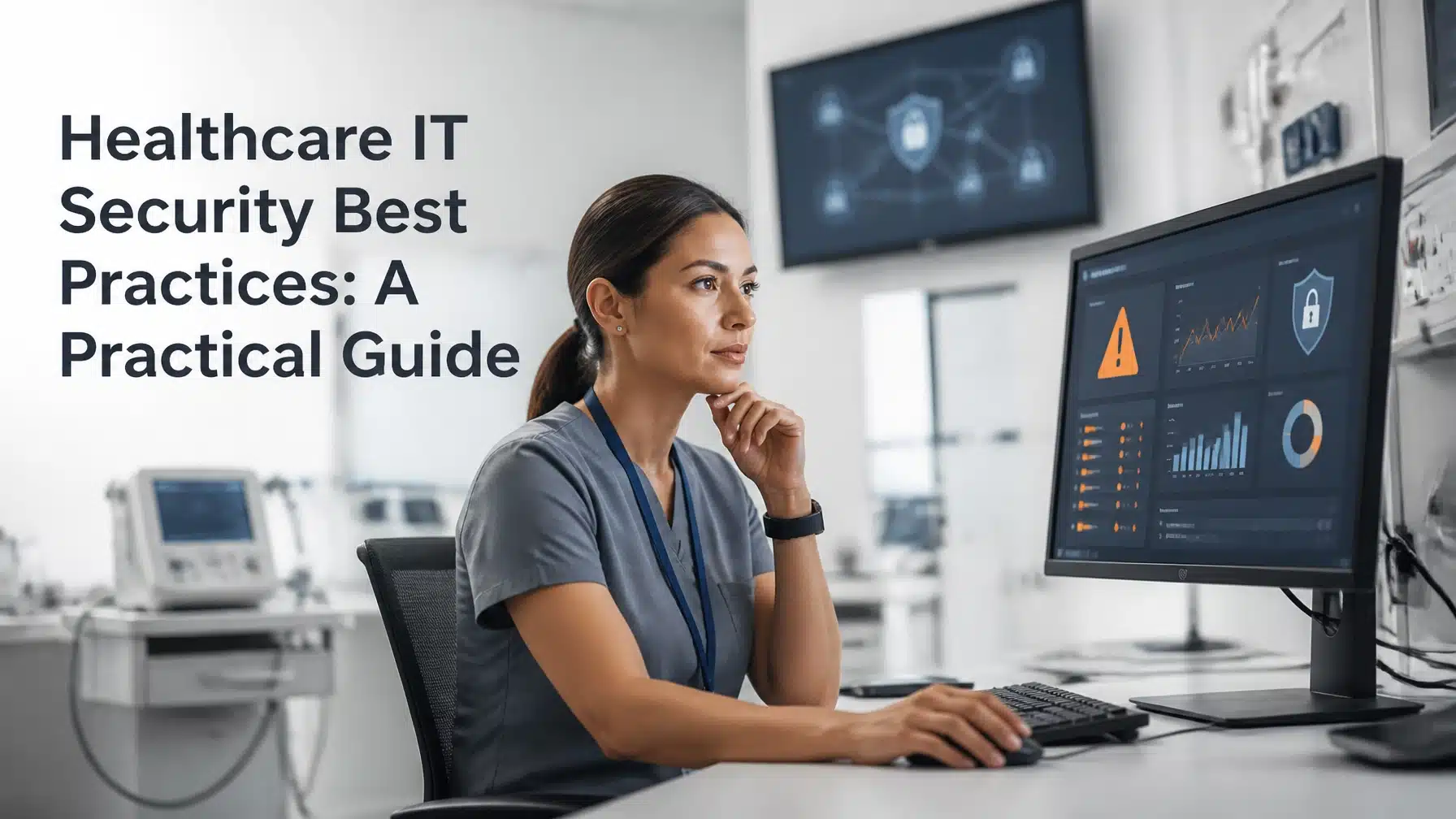
Healthcare IT Security Best Practices: A Practical Guide
Healthcare IT security best practices combine risk analysis, identity controls, endpoint protection, secure medical devices, resilient backups, incident response, vendor oversight, and security culture. Healthcare organizations need every layer because a cyberattack can expose electronic protected health information, or ePHI, while also disrupting patient care.
The risk continues to grow. HHS has reported that more than 167 million individuals were affected by large breaches in a recent reporting year, underscoring the scale of the threat facing healthcare organizations. The HHS HIPAA Security Rule overview explains the legal requirements for protecting ePHI.
A strong program protects three outcomes: confidentiality, integrity, and availability. Consequently, your organization must secure data without making clinical systems difficult to use during urgent care.
Why healthcare IT security requires a layered approach
Healthcare has a broader attack surface than many industries. Your organization may operate:
- Electronic health record systems
- Patient portals and telehealth platforms
- Connected medical devices
- Pharmacy, laboratory, and imaging systems
- Cloud applications and remote access tools
- Billing, payroll, and administrative platforms
- Vendors and business associates with network access
Each system creates a potential entry point. Meanwhile, legacy applications and medical devices often cannot receive patches as quickly as standard workstations.
Availability also carries patient-safety implications. A ransomware incident that locks a file server can delay scheduling, prescriptions, imaging, referrals, and clinical documentation. Therefore, healthcare IT security must support continuity, not just compliance.
Example scenario: A clinic employee enters credentials into a convincing phishing page. An attacker uses the account to access email and cloud storage, then disables access to scheduling and records. Staff resort to phone calls and paper notes while administrators investigate. No patient record needs to be stolen for the event to cause operational and clinical harm.
> “The HIPAA Security Rule focuses on safeguarding electronic protected health information (ePHI) held or maintained by regulated entities.”
>
> National Institute of Standards and Technology, NIST SP 800-66 Rev. 2
HIPAA is a legal requirement for covered entities and applicable business associates. However, NIST guidance, HHS Healthcare and Public Health Cybersecurity Performance Goals, and CISA resources function as practical frameworks or voluntary guidance unless a contract or another obligation makes them applicable. They do not replace legal advice or your HIPAA responsibilities.
10 healthcare IT security best practices to prioritize
1. Perform and document a thorough security risk analysis
A risk analysis is not a one-time compliance checklist. It is a repeatable process that helps you understand how threats could affect patient care and ePHI.
Your analysis should identify:
- Hardware, software, cloud services, applications, and medical devices
- Where ePHI enters, moves, resides, and leaves your environment
- Threats such as ransomware, phishing, insider misuse, and equipment failure
- Vulnerabilities caused by weak access controls, outdated software, or poor configuration
- Likelihood and potential impact
- Risk treatment decisions, owners, deadlines, and accepted exceptions
The NIST guide for implementing the HIPAA Security Rule provides practical resources for organizations of different sizes. Moreover, document why you prioritize each remediation effort.
2. Enforce strong identity and access management
Stolen credentials remain a common path into healthcare environments. Require multifactor authentication, or MFA, for remote access, administrative accounts, cloud services, and other high-risk applications.
MFA requires two or more verification factors, such as a password and security key. Where feasible, use phishing-resistant MFA, such as hardware security keys or passkeys.
Also implement:
- Unique accounts for every workforce member
- Least-privilege access based on job responsibilities
- Separate standard and privileged administrator accounts
- Regular privileged-access reviews
- Joiner, mover, and leaver procedures
- Immediate account termination during offboarding
- Temporary, monitored vendor access
Review access after role changes. A former billing employee should not retain clinical or administrative privileges after moving departments.
3. Protect endpoints and keep systems patched
Endpoint security must cover laptops, desktops, servers, clinical workstations, and remote devices. Deploy EDR, or endpoint detection and response, to monitor activity and identify suspicious behavior that traditional antivirus may miss.
Use MDM, or mobile device management, to enforce security settings on smartphones, tablets, and other mobile endpoints. Your baseline should address encryption, screen locks, application controls, local administrator rights, and remote wipe capabilities.
Track patch compliance across:
- Operating systems
- Browsers and productivity applications
- Remote access tools
- Network devices
- EHR integrations
- Medical-device software
Prioritize known exploited vulnerabilities and internet-facing systems first. Furthermore, document exceptions for unsupported software and apply compensating controls such as segmentation, restricted access, and enhanced monitoring.

4. Segment networks and protect clinical systems
Network segmentation limits lateral movement after an attacker gains access. Separate administrative systems, clinical systems, guest Wi-Fi, building controls, and medical devices whenever practical.
Use firewalls and access rules to control communication between segments. For example, a guest device should not communicate with an imaging workstation. Likewise, a compromised billing computer should not reach every clinical server.
Review firewall rules regularly. Remove broad, unused access and monitor unusual traffic between network zones.
5. Secure network-connected medical devices
Connected medical devices require collaboration among IT, clinical engineering, biomedical teams, and vendors. Start with a complete inventory that records each device, owner, location, network connection, software version, support status, and vendor contact.
Then:
- Restrict device administration to authorized personnel
- Change default credentials
- Track firmware and security updates
- Confirm vendor remote-access methods
- Segment devices from general business systems
- Monitor devices for unusual activity
- Plan compensating controls for legacy equipment
- Include device recovery in downtime procedures
Do not assume a device is safe because it performs a clinical function. If it connects to your network, treat it as part of your cybersecurity program.
6. Secure email, remote access, and cloud systems
Phishing frequently targets healthcare employees because their accounts can unlock valuable systems. Use email filtering, attachment scanning, malicious-link protection, and strong authentication.
Configure email authentication controls such as SPF, DKIM, and DMARC where appropriate. DMARC, or Domain-based Message Authentication, Reporting, and Conformance, helps receiving mail systems identify messages that do not legitimately come from your organization.
For remote access, require MFA, conditional access, device compliance checks, and session logging. Also review Microsoft 365 and Azure configurations, including external sharing, privileged roles, mailbox forwarding, audit logs, and inactive accounts.
7. Encrypt and control ePHI
Encryption protects ePHI when systems, devices, or networks are compromised. Use strong encryption for data at rest and data in transit.
However, encryption alone does not solve excessive access. Apply role-based permissions and the minimum necessary principle. Use DLP, or data loss prevention, controls to identify and restrict inappropriate sharing of sensitive information.
Your program should also address:
- Retention schedules
- Secure disposal
- Portable media
- Encrypted backups
- Personal device access
- Cloud storage permissions
- Printing and physical records
Review permissions when workflows change. Access should reflect current responsibilities, not historical convenience.
8. Build tested backups and downtime procedures
Backups support recovery, but an untested backup does not provide confidence. Maintain protected backups for critical systems and consider immutable or offline copies that attackers cannot easily alter.
Define:
- RTO, or recovery time objective, which describes how quickly a system must return to service
- RPO, or recovery point objective, which describes how much recent data your organization can afford to lose
Test restoration regularly. Include EHR systems, scheduling, imaging, identity services, financial applications, and critical configurations.
Also maintain downtime workflows. Staff should know how to document care, verify medications, communicate with patients, and restore normal operations when systems become unavailable.

9. Prepare and practice incident response
An incident response plan should define who makes decisions before an emergency occurs. Include IT, clinical leadership, privacy, legal counsel, compliance, communications, insurance contacts, law enforcement, and key vendors.
Your plan should cover:
- Alert triage and escalation
- Account suspension
- System isolation
- Evidence preservation
- Patient-care continuity
- Internal and external communications
- Breach assessment
- Vendor coordination
- Recovery priorities
- Post-incident improvement
Practice with tabletop exercises. The CISA Healthcare and Public Health Mitigation Guide offers recommendations for reducing pervasive threats in the sector.
10. Manage vendors and build a security culture
Business associates, technology vendors, billing companies, and medical-device manufacturers can affect your risk. Use business associate agreements where required, but do not stop there.
Review vendor security practices, access methods, breach reporting obligations, subcontractors, backup procedures, and incident contacts. Remove permanent access whenever possible.
At the same time, build a security culture through user education. Training should address phishing, password safety, secure handling of ePHI, mobile devices, social engineering, and incident reporting.
Example scenario: A nurse notices an unusual MFA prompt and reports it instead of approving the request. The organization blocks the session, resets the account, and investigates before the attacker reaches clinical systems. This outcome depends on both technology and user confidence.

Use the HHS Healthcare Cybersecurity Performance Goals as a practical checklist
The HHS Healthcare and Public Health Cybersecurity Performance Goals organize high-impact practices into Essential and Enhanced Goals.
Essential areas include:
- Mitigating known vulnerabilities
- Using MFA
- Providing workforce training
- Encrypting sensitive information
- Planning for incidents
- Using unique credentials
- Separating privileged accounts
- Managing vendor requirements
Enhanced areas include:
- Comprehensive asset inventory
- Security testing
- Network segmentation
- Centralized logging
- Configuration management
- Threat detection
- Third-party vulnerability disclosure
- Centralized incident planning
These goals are voluntary guidance. They do not replace HIPAA obligations, contractual requirements, or legal advice. Nevertheless, they offer a useful prioritization tool for leaders who need to connect technical improvements with patient-care resilience.
The CISA healthcare cybersecurity resource center provides additional tools for building foundational controls and maturing your program.
How to measure healthcare IT security maturity
Security metrics should show reduced risk and stronger patient-care continuity. Track measurements such as:
- MFA coverage across users and privileged accounts
- EDR and MDM coverage
- Patch compliance
- Age of critical vulnerabilities
- Backup restoration success
- Privileged-account review completion
- Phishing-reporting rate
- Mean time to detect and respond
- Incident exercise completion
- Medical-device inventory coverage
- Vendor review completion
- Unresolved high-risk findings
Avoid measuring activity alone. For example, the number of training sessions matters less than whether employees report suspicious messages faster. Similarly, backup completion matters less than successful restoration of priority systems.
Common healthcare IT security mistakes
Healthcare organizations often make the following mistakes:
- Treating HIPAA as a checkbox. Compliance documentation cannot replace active risk management.
- Ignoring medical devices. Unmanaged devices can create pathways into clinical networks.
- Trusting untested backups. A backup that cannot restore critical systems provides false confidence.
- Granting vendors permanent access. Standing access increases exposure and complicates investigations.
- Overlooking cloud identity. Microsoft 365 and Azure require continuous governance.
- Training users only once a year. Security culture develops through regular, relevant reinforcement.
- Measuring tools instead of outcomes. More technology does not automatically mean less risk.
How Terminal B supports healthcare organizations
Terminal B helps healthcare organizations build a proactive, documented, and business-aligned IT security program. Through the Skytivity model, organizations can combine ongoing management with strategic guidance instead of relying only on reactive support.
Support can include:
- 24/7/365 Skytivity Secure Help Desk coverage
- Sys Admin Services for backend infrastructure
- Proactive monitoring and maintenance
- Patch management and vulnerability prioritization
- EDR and MDM deployment
- MFA and identity governance
- Security awareness training
- Microsoft 365 and Azure management
- Backup and recovery planning
- Quarterly business reviews
- vCIO and IT consulting guidance
As a Microsoft Security Solution Partner, Terminal B brings Microsoft cloud and security expertise to healthcare and life sciences environments. Our managed IT services and IT consulting services focus on clear documentation, proactive communication, and outcomes that support your organization’s clinical and business goals.
Schedule a healthcare IT security strategy session
Your organization does not need to solve every security challenge at once. You do need a clear view of your current risks, the controls that matter most, and a practical roadmap for improving resilience.
Schedule an IT strategy session with Terminal B to discuss your healthcare environment, security priorities, compliance obligations, and patient-care continuity goals.
Frequently Asked Questions
What is the most important healthcare IT security best practice?
Start with a documented security risk analysis. It identifies your most important systems, data flows, vulnerabilities, and patient-care dependencies. From there, prioritize MFA, patching, endpoint protection, segmentation, backups, and incident response.
How often should a healthcare organization perform a security risk analysis?
Perform a formal analysis regularly and whenever significant changes occur. Examples include new cloud services, acquisitions, facility expansions, EHR changes, medical-device deployments, major incidents, and material changes in threats.
Does HIPAA require MFA and encryption?
HIPAA requires covered entities to implement reasonable and appropriate safeguards based on risk. The Security Rule does not prescribe one universal technology configuration. MFA and encryption often represent strong risk-based safeguards, but your organization should document its decisions and any alternatives.
How should healthcare organizations secure medical devices?
Maintain a current inventory, restrict access, coordinate with vendors, track support status, segment devices, monitor activity, and document compensating controls for legacy equipment. Include clinical engineering and biomedical teams in the process.
Can a small medical practice implement these best practices?
Yes. Smaller practices can begin with a prioritized plan. Focus first on unique accounts, MFA, secure backups, supported systems, endpoint protection, patching, email security, vendor oversight, and recurring user education. A managed IT or consulting partner can provide additional expertise when internal resources are limited.
Related Posts