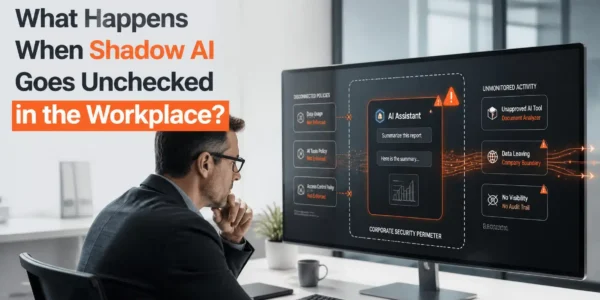
OK, so your boss just purchased Claude and put you in charge of AI adoption…
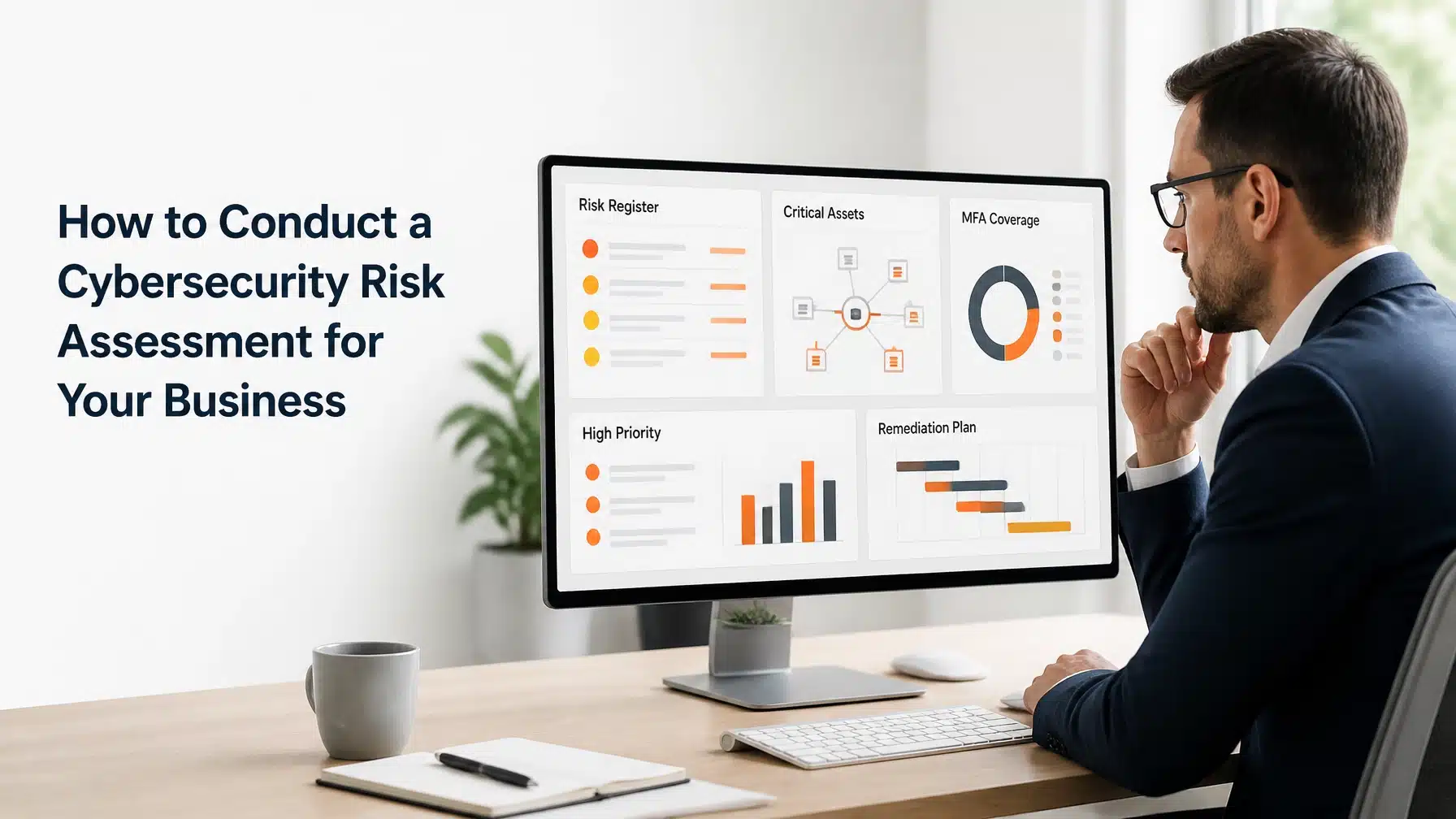
How to Conduct a Cybersecurity Risk Assessment for Your Business
A practical answer to how to conduct a cybersecurity risk assessment starts with four questions: What must you protect? What could harm it? Where are your controls weak? Which improvements deserve priority? The process connects technology risks to business outcomes, including revenue, operations, customer trust, and regulatory obligations.
The NIST Cybersecurity Framework 2.0 helps organizations understand, assess, prioritize, and communicate cybersecurity risk. It does not prescribe one implementation method. Therefore, you can adapt it to your organization’s size, industry, technology environment, and risk tolerance.
This guide shows you how to conduct a cybersecurity risk assessment using practical steps based on NIST guidance, NIST SP 800-30 risk assessment methods, CISA recommendations, and FTC small-business guidance.
What a cybersecurity risk assessment should accomplish
A cybersecurity risk assessment should give leadership a defensible view of the organization’s current exposure. It should also produce a prioritized improvement plan.
The assessment should identify:
- Assets: Hardware, software, cloud services, facilities, applications, and accounts.
- Data: Customer records, protected health information, financial data, intellectual property, and employee information.
- Users: Employees, contractors, administrators, vendors, and other people with access.
- Threats: Phishing, ransomware, credential theft, insider misuse, vendor compromise, and physical events.
- Vulnerabilities: Unpatched systems, weak authentication, cloud misconfigurations, excessive permissions, and unsupported devices.
- Controls: Safeguards that prevent, detect, contain, or recover from threats.
- Risk: The possibility that a threat will exploit a weakness and cause business harm.
- Treatment: The action you will take, such as mitigating, transferring, avoiding, or accepting the risk.
- Ownership: The person accountable for reducing or formally accepting the risk.
- Timeline: The date or milestone for completing the required action.
A risk assessment differs from several common security activities:
- A vulnerability scan looks for known technical weaknesses.
- A penetration test actively tests whether security weaknesses can be exploited.
- A compliance audit evaluates evidence against defined requirements.
- A cyber-insurance questionnaire collects information for underwriting.
- A risk assessment connects threats and weaknesses to business impact and decision-making.
Consequently, a scan can support an assessment, but it cannot replace one. A critical vulnerability on an unused test device may deserve less attention than a moderate weakness affecting a revenue-producing system.
How to conduct a cybersecurity risk assessment in 8 steps

1. Define scope, business goals, and risk tolerance
Start by deciding what the assessment will cover. You might assess the entire organization, one business unit, a new cloud platform, or a specific regulated data environment.
Document the following:
- Office and remote locations
- Employees, contractors, and privileged users
- Endpoints, servers, network devices, and mobile devices
- Cloud platforms and software-as-a-service applications
- Internet-facing systems and remote access
- Vendors, suppliers, and managed service providers
- Operational technology, or OT, that controls physical processes
- Internet of Things, or IoT, devices such as cameras, sensors, and connected equipment
- Regulated or contractually protected data
- Business continuity and recovery requirements
Next, define your business goals. A healthcare organization may prioritize patient care, clinical system availability, and HIPAA obligations. A manufacturer may prioritize production uptime, engineering data, and OT safety. A financial services firm may focus on transaction integrity, confidentiality, and fraud prevention.
Also define risk tolerance. Leadership should decide which disruptions the organization cannot accept, which risks require immediate action, and which risks can receive a documented exception.
2. Build an accurate asset and data inventory
You cannot protect what you cannot see. Create an inventory that includes both known technology and likely shadow IT.
Record:
- Asset or service name
- Business owner
- Technical owner
- Location
- Purpose
- Data stored or processed
- Business criticality
- Users and access levels
- Vendor dependencies
- Backup and recovery status
- Lifecycle or support status
Include identities and integrations. An employee’s Microsoft 365 account, payroll access, cloud storage permissions, and vendor portal credentials can create more risk than a single laptop.
Classify data according to business impact. For example, label data as public, internal, confidential, or regulated. Then document where the data moves, who can access it, and how long your organization retains it.
3. Map critical business processes and data flows
Technology only matters because it supports business activity. Map systems to the processes they enable.
Ask:
- Which systems support revenue?
- Which systems support customer service?
- Which systems support patient care?
- Which applications support production or field operations?
- Which systems do employees need to work remotely?
- Which processes depend on a single vendor or administrator?
- What happens if a system becomes unavailable for one hour, one day, or one week?
Document how information moves between employees, applications, vendors, and customers. A data-flow map can reveal risks that an asset list misses.
For instance, a healthcare practice may depend on an electronic health record platform, a clearinghouse, a patient portal, email, and a local network. A weakness in any connected system could affect scheduling, billing, or care delivery.
4. Identify realistic threats and vulnerabilities
Avoid generic threat lists. Evaluate what could realistically affect your organization.
Common threats include:
- Phishing and business email compromise
- Ransomware and data extortion
- Stolen or reused credentials
- Unpatched internet-facing systems
- Cloud storage exposure
- Misconfigured Microsoft 365 permissions
- Insider misuse or accidental disclosure
- Lost or stolen devices
- Vendor compromise
- Unauthorized remote access
- Physical damage, theft, fire, or severe weather
- Unapproved applications and shadow IT
Then identify the weaknesses that could enable those threats. Review missing MFA, weak passwords, excessive permissions, delayed patching, unsupported software, inadequate logging, untested backups, and inconsistent user education.
Security culture matters here. Human behavior can either reduce risk or amplify it. Employees need clear reporting procedures, practical training, and support when they encounter suspicious messages or unusual system behavior.
5. Evaluate existing security controls
Assess whether each control exists, works as intended, and has reliable evidence.
Review:
- MFA: Multi-factor authentication requires an additional verification factor beyond a password. Prioritize email, remote access, administrator accounts, and critical cloud applications.
- EDR: Endpoint detection and response monitors devices for suspicious behavior and supports investigation and containment.
- MDM: Mobile device management enforces security settings, encryption, application controls, and remote-wipe capabilities.
- Patch management and vulnerability remediation
- Email filtering, SPF, DKIM, and DMARC
- Identity governance and privileged access reviews
- Network segmentation
- Encryption at rest and in transit
- Centralized logging and alert monitoring
- Security awareness and role-based user education
- Incident response procedures
- Physical safeguards
- Backup protection and recovery testing
Do not accept a tool name as proof of protection. Confirm its configuration, coverage, alerting, ownership, and testing history.
For recovery, document your RTO, or recovery time objective. This defines how quickly a service must return. Also document your RPO, or recovery point objective. This defines how much recent data the organization can afford to lose.
6. Rate likelihood and business impact
Use a simple qualitative risk matrix. Define terms before assigning ratings.
- Likelihood: How probable is the scenario, considering exposure, threat activity, existing controls, and exploitability?
- Impact: How serious would the outcome be for confidentiality, integrity, availability, finances, legal obligations, operations, and reputation?
A practical matrix can use Low, Medium, and High ratings. However, do not let a score replace judgment. A risk involving patient records or production safety may require executive attention even when the likelihood is uncertain.
Consider:
- How exposed is the system?
- How easy would exploitation be?
- How important is the affected process?
- How sensitive is the data?
- How quickly could you detect the event?
- How effectively could you contain and recover?
- Which legal, regulatory, contractual, or insurance obligations apply?
NIST SP 800-30 provides a structured method for identifying threats, vulnerabilities, likelihood, impact, and response options. Use it as guidance, then tailor the depth to your organization.
7. Prioritize findings and assign owners
Separate findings into critical, high, medium, and low priorities. Prioritize based on more than technical severity.
A high-priority finding usually combines:
- Significant business criticality
- High exposure or exploitability
- Sensitive data access
- Weak or missing controls
- Limited detection capability
- Difficult or untested recovery
Assign one accountable owner to every significant finding. The owner may be an executive, department leader, IT manager, application owner, or vendor manager.
CISA’s Cybersecurity Performance Goals 2.0 can help identify practical baseline actions. CISA describes these goals as voluntary practices, not regulations. They can support prioritization, but they do not automatically satisfy legal, regulatory, contractual, or cyber-insurance requirements.
8. Create, fund, and review a remediation roadmap
Turn findings into an actionable roadmap. Group work by urgency, dependency, effort, and business value.
A typical roadmap may include:
First 30 days
- Enforce MFA on high-risk accounts
- Remove unnecessary administrator access
- Patch exposed systems
- Confirm backup coverage
- Document incident contacts
- Address unsupported or unknown assets
By 60 days
- Improve endpoint protection coverage
- Complete Microsoft 365 and Azure access reviews
- Strengthen email authentication
- Formalize vendor access controls
- Deliver targeted user education
- Test a backup restoration
By 90 days
- Segment sensitive systems
- Conduct an incident response tabletop exercise
- Update policies and procedures
- Improve centralized monitoring
- Document RTO and RPO requirements
- Begin longer-term modernization projects
Track progress through measurable outcomes. Examples include MFA coverage, endpoint protection coverage, patch compliance, backup restoration success, privileged access review completion, and employee training participation.
Review accepted risks with leadership. A risk should never become “accepted” simply because nobody owns it.
What to include in a cybersecurity risk assessment report
A useful report should help executives make decisions. It should not bury the most important findings in technical detail.
Include:
- Executive summary
- Assessment scope and objectives
- Methodology and assumptions
- Business processes reviewed
- Asset and data inventory
- Data-flow summary
- Threat model
- Control review
- Risk register
- Prioritized recommendations
- Assigned owners and deadlines
- Accepted or transferred risks
- Thirty-, sixty-, and ninety-day roadmap
- Longer-term initiatives
- Reassessment triggers
A simple risk register might use these columns:
Example scenario: healthcare practice
Example only, not a Terminal B client claim: A growing healthcare practice discovers that several employees access email from unmanaged personal devices. The assessment connects that weakness to protected health information, patient communications, and scheduling operations.
The improvement plan may include MDM enrollment, device encryption, MFA, access reviews, security awareness training, and a tested incident response process. The priority comes from business and data impact, not merely from a technical scan result.
Example scenario: manufacturer
Example only, not a Terminal B client claim: A manufacturer maps its production process and discovers that an engineering workstation connects to both the office network and an OT environment. The workstation also uses outdated software.
The assessment should consider production safety, availability, vendor access, patching constraints, and segmentation. If immediate patching could disrupt production, the organization can document compensating controls such as isolation, monitoring, restricted access, and a scheduled replacement.
Questions to ask during the assessment
Ask business and technical stakeholders:
- What would stop operations completely?
- Which data would cause the most harm if exposed?
- Which systems are internet-facing?
- Who has privileged access?
- Can you identify every administrator account?
- Can your team detect and contain an incident quickly?
- Can backups be restored successfully?
- Which vendors can access your systems or data?
- Do vendor contracts address incident notification and access?
- What happens when an employee or contractor leaves?
- Which obligations apply to your organization?
- How do employees report suspicious activity?
- Which systems lack MFA, EDR, MDM, or current patches?
- Which processes depend on one person or one vendor?
Common cybersecurity risk assessment mistakes
Avoid these common failures:
- Treating the assessment as a one-time checkbox
- Relying on an incomplete asset inventory
- Scanning systems without business context
- Ignoring cloud services and shadow IT
- Overlooking vendors and supplier access
- Treating employees as the problem instead of building security culture
- Failing to test backup restoration
- Documenting risks without assigning owners
- Prioritizing tool purchases instead of business outcomes
- Accepting inherited vendor controls without verification
- Never revisiting the risk register
- Confusing voluntary guidance with legal requirements
The FTC’s cybersecurity guidance for small businesses emphasizes practical safeguards such as software updates, backups, strong authentication, encryption, employee training, incident response, and vendor security. FTC guidance is not a universal checklist or automatic legal requirement. It should inform your program alongside the obligations that apply to your organization.
How often should you conduct a cybersecurity risk assessment?
There is no single universal assessment frequency for every organization. Establish a recurring review cadence based on your risk profile, industry, contractual commitments, and operational changes.
At minimum, review the risk register and remediation roadmap regularly. Conduct a broader reassessment after:
- An acquisition or merger
- A cloud migration
- A major application deployment
- A new office or production location
- A security incident
- A significant regulatory or contractual change
- Major staffing or leadership changes
- A material vendor change
- A new remote access method
- A major change to OT or IoT systems
NIST’s Small Business Quick-Start Guide for CSF 2.0 provides a practical starting point for organizations with limited cybersecurity programs. Use it to create a repeatable cycle of understanding, assessing, prioritizing, implementing, and communicating improvements.
How Terminal B helps businesses assess and reduce cyber risk
Terminal B helps organizations turn cybersecurity findings into practical, accountable improvements. Our IT risk assessment and consulting support connects technology decisions to business priorities, compliance needs, and operational resilience.
Through our Skytivity proactive managed IT services, we help monitor and maintain your environment. Our services can include:
- 24/7/365 Secure Help Desk support for Windows and Mac environments
- Sys Admin Services for backend infrastructure and complex operations
- Endpoint monitoring and EDR
- Patch management and vulnerability remediation
- MDM and device security
- MFA and identity governance
- Security awareness training and user education
- Microsoft 365 and Azure governance
- Backup and recovery planning
- Incident response preparation
- Quarterly business reviews
- vCIO planning and strategic IT consulting
As a Microsoft Security Solution Partner, Terminal B brings expertise across Microsoft 365, Azure, identity, endpoint security, and cloud governance. We also understand the operational demands of healthcare, life sciences, financial services, construction, manufacturing, high tech, venture capital, and other regulated industries.
Our goal is not to produce a report that sits unused. We document findings clearly, prioritize remediation, identify accountable owners, and create a roadmap your organization can execute. As a locally owned MSP serving Central Texas and organizations beyond the region, we provide a business-aligned alternative to reactive IT support.
Build a practical cybersecurity improvement plan
A cybersecurity risk assessment gives you clarity. The next step requires disciplined execution.
If your organization needs help connecting security findings to business priorities, contact Terminal B for an IT strategy session. We can help you evaluate your current environment, identify meaningful gaps, and develop a practical roadmap for stronger security, better resilience, and more confident technology decisions.
Frequently Asked Questions
What is the difference between a risk assessment and a vulnerability scan?
A vulnerability scan identifies known technical weaknesses in systems or applications. A cybersecurity risk assessment evaluates those weaknesses alongside threats, business processes, data sensitivity, existing controls, likelihood, and impact.
Therefore, a scan can provide useful evidence, but it cannot determine which risks deserve executive priority.
How long does a cybersecurity risk assessment take?
The timeline depends on scope, organization size, technology complexity, documentation quality, and stakeholder availability. A focused assessment may move quickly, while an organization with multiple locations, cloud services, vendors, regulated data, or OT systems requires more time.
The quality of the inventory and business interviews often matters more than the number of scanning tools used.
Should a small business use NIST CSF 2.0?
Yes. NIST CSF 2.0 applies to organizations of different sizes, sectors, and maturity levels. Its six Functions, Govern, Identify, Protect, Detect, Respond, and Recover, provide a flexible structure for organizing cybersecurity decisions.
Small businesses can begin with the NIST Small Business Quick-Start Guide rather than attempting to implement every possible control at once.
What should a business do after completing a risk assessment?
Create a prioritized remediation roadmap. Assign owners, define due dates, confirm resources, track progress, document accepted risks, and report meaningful metrics to leadership.
Then test whether improvements work. For example, verify MFA coverage, restore backups, review privileged accounts, and conduct an incident response exercise.
Can an MSP conduct a cybersecurity risk assessment?
An MSP can conduct or support an assessment when it has the required expertise, access, independence, and documentation process. However, your leadership team remains responsible for defining risk tolerance and approving risk treatment decisions.
Ask the MSP what the assessment covers, how it handles third-party access, what evidence it collects, how it protects assessment data, and how it converts findings into an implementation plan.
Related Posts