Secure cloud infrastructure for financial services combines strong identity controls, encryption, segmented architecture, continuous monitoring,…

How Do I Prepare for My Company to Use AI?
OK, so your boss just purchased Claude and put you in charge of AI adoption. Whether it’s Claude, Copilot, or ChatGPT, the assignment is the same: you are now responsible for preparing AI for 20-150 employees, and you need to get it right.
Think of it like hiring an eager, tireless new employee and handing them the keys to your building, every filing cabinet, and the company bank account on day one. They have no job description, manager, policies, or training. That is the risk when you let employees use AI without preparation. To prepare your company to use AI, establish governance, data controls, an acceptable-use policy, employee training, and monitoring before employees begin.
The opportunity is real, but readiness takes more than access to an AI tool. In Cisco’s Global AI Readiness Index, just 14% of surveyed organizations qualified as “Pacesetters,” Cisco’s category for organizations fully prepared for AI integration. The index examined strategy, infrastructure, data, governance, talent, and culture. Its results describe surveyed organizations, not every business, but they show why readiness deserves attention before rollout. (Cisco’s AI readiness findings)
The practical answer is to start with a limited, clearly defined use case. Then assign an owner, decide what data is off-limits, set access rules, train employees, and monitor results. This approach lets your company pursue useful work while keeping responsibility clear.
Why Rushing Into AI Creates Risk
When employees adopt AI tools without guidance, your company can lose control of how information gets used. Someone might enter customer details into an unapproved service, paste confidential financial data into a prompt, or rely on output that sounds convincing but contains errors. Consequently, data leakage, compliance exposure, and inconsistent work can arrive alongside productivity gains.
Unmanaged use also creates tool sprawl. Employees may choose different services for the same task, while IT and leadership lack a complete view of where company information goes. Moreover, when nobody owns a use case, nobody is clearly accountable for checking its results or responding when something goes wrong.
Think again about the eager new hire. Without a job description, they do not know what decisions they can make. Without a manager, nobody reviews their work. AI readiness for business means defining those responsibilities before access becomes routine.
How to Prepare Your Company to Use AI: 8 Critical Steps
1. Define approved use cases before tools
Start with a business problem, not a tool demonstration. A use case is the job description: it says what the AI assistant may help with, who will use it, and what a good outcome looks like. For example, drafting an internal meeting summary has a different risk profile than making recommendations that affect patient care or employee hiring.
Begin with tasks where a person can easily review the result and correct mistakes. Then document the purpose, users, expected benefit, and decisions that remain under human control.
- Choose a narrow, measurable task.
- Identify who reviews the output.
- List prohibited or high-impact uses that need more review.
2. Assess your data readiness and sensitivity
Before inviting an AI assistant into your “filing cabinets,” decide which records it can access. Identify where sensitive information lives and classify it by business impact. That may include personal data, health information, financial records, client materials, intellectual property, or confidential business plans.
Data controls must match the service and its terms. Do not assume that information stays private simply because a tool is easy to access. Instead, define what employees may enter, what must stay out, and which approved environments offer the protections your organization requires.

3. Write an AI acceptable-use policy
Your AI acceptable-use policy is the house rules for the new employee. Keep it specific enough to guide everyday choices, rather than filling it with broad language that employees cannot apply. Explain which tools and use cases are approved, what data employees may submit, and when they must check AI-generated work.
In addition, spell out who can approve exceptions and how employees should report mistakes or unsafe behavior. For example, an employee who transferred departments last year may still hold permissions to the HR folder from their old role. When that employee connects an AI assistant, the tool quietly inherits that overlooked access. A quarterly permission review would have caught it, and your policy should require exactly that.
- Define approved, restricted, and prohibited uses.
- Require human review before business-critical output is used.
- Explain data handling, disclosure, and incident reporting.
4. Control access with identity and permissions
The employee needs an ID badge, not a master key. Use identity and access controls to determine who can use approved tools, and limit each account to the information and capabilities needed for its role. MFA, or multifactor authentication, requires more than one form of verification to confirm a user’s identity.
Where appropriate, use centralized sign-in, managed accounts, and role-based permissions. Also review access when someone changes roles or leaves. Overlooked permissions are one of the most common gaps companies find during AI preparation, so schedule access reviews rather than assuming permissions are current. These measures cannot prevent every mistake; however, they can reduce the amount of information exposed if an account is misused.
5. Choose and review tools through a formal process
Before approving a tool, assess how it handles data, who can access prompts and outputs, how long information is retained, and what administrative controls are available. Review the service terms, privacy practices, security documentation, and any relevant vendor assurances. If your company operates in a regulated sector, include the right legal, privacy, security, and compliance stakeholders.
A tool’s features may change, so approval should not last forever. Record the tool, business owner, use case, review date, and any conditions for use. As a result, your company can revisit the decision when its needs or the service changes.
6. Train employees before launch
A rulebook cannot replace a training day. Show employees how to use approved AI tools, protect sensitive information, and review results before using them. Explain that AI output can be inaccurate, incomplete, or inappropriate even when it sounds confident.
Training should also show employees how to raise questions without fear of blame. That builds a stronger security culture: people are more likely to report a mistake early when they understand what to do next.
- Demonstrate safe prompts using non-sensitive examples.
- Teach employees to verify important claims and citations.
- Explain how and where to report a concern.
7. Set up monitoring and accountability
A security camera represents logging and monitoring. Track approved use as appropriate, review access, and establish a process for investigating unusual activity or reported problems. Monitoring should support accountability and learning, not simply collect records nobody reviews.
Name an owner for every approved use case. That person should check whether the tool still meets the business need and whether its results remain reliable. In a finance team, for example, employees should not treat generated analysis as verified financial advice without qualified review.
> NIST’s AI Risk Management Framework emphasizes managing AI risk throughout a system’s lifecycle, with governance connected to the work of mapping, measuring, and managing risk. It is voluntary guidance, not a blanket legal requirement. (NIST AI RMF 1.0)
8. Plan for review, offboarding, and incident response
The new employee needs regular check-ins, and sometimes their duties need to change. Schedule reviews of approved use cases, access, policy, and training. Remove access when it is no longer needed, and document how your company will pause a use case if it creates unacceptable risk.
Your incident plan should tell employees whom to contact if they share sensitive information, receive harmful output, or notice unexpected activity. Then define who assesses the issue and what steps follow. A clear plan makes a difficult moment less chaotic.
What an AI-Ready Company Looks Like
You are ready to begin a controlled pilot when you can check these boxes:
- Documented use cases with clear purposes and boundaries.
- Classified data with defined rules for what employees may submit.
- A written policy that employees can understand and follow.
- Named owners for decisions, oversight, and review.
- Trained employees who know how to use AI responsibly.
- Access controls and monitoring that fit the use case.
- A review cadence and incident plan for changes, concerns, and mistakes.
AI readiness for business does not mean eliminating every risk. Instead, it means knowing who is responsible, understanding what could go wrong, and having practical controls in place before employees start.
Common Mistakes When Companies Prepare for AI
A common mistake is buying access before defining the work. That reverses the order: choosing an eager employee before writing the job description. Another is treating policy as a one-time document, even as workflows, tools, and risks change.
Companies also overlook permissions drift. Employees change roles, projects end, and contractors depart, yet old access often stays active. When an AI tool inherits that access, sensitive information moves further than anyone intended. Review permissions before launch and on a recurring schedule.
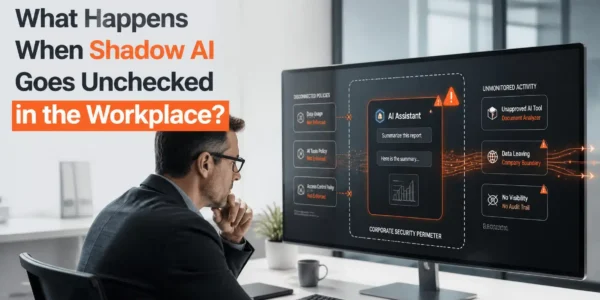
Companies also overlook shadow AI, where employees use unapproved AI tools to get work done. A blanket ban may not reveal that behavior or provide a safer alternative. Instead, ask employees what tasks they want to improve, then create a clear request and approval path.
Finally, do not skip training or incident planning. A policy that employees do not understand will not shape daily behavior. And without a response plan, even a small mistake can become harder to contain.
How Terminal B Helps Companies Prepare for AI
Terminal B helps organizations put practical IT foundations around new technology. Our Skytivity proactive managed IT model includes 24/7/365 Secure Help Desk support and Sys Admin Services. We also manage Microsoft 365 and Azure environments and help organizations strengthen identity and access management, endpoint security, MFA, and mobile device management.
For AI adoption, those capabilities can support the essentials: controlled access, clear governance, monitoring, cloud governance, vendor risk reviews, and incident response planning. Security awareness training helps employees understand their role, while IT consulting and regular business reviews help keep technology decisions aligned with organizational goals.
As a Microsoft Security Solution Partner with Austin and Central Texas roots, Terminal B works with organizations in healthcare, life sciences, financial services, construction, manufacturing, high tech, and venture capital. Each environment has different data, operational, and compliance needs. Therefore, the starting point is a documented plan tailored to your business, not a one-size-fits-all tool recommendation.
Start With an IT Strategy Session
Preparing AI for 20-150 employees does not require enterprise bureaucracy, but it does require the same groundwork. You do not need to hand an eager new hire every key on day one. Define the job, name the manager, set the rules, provide training, issue the right access, and keep an eye on the work.
Contact Terminal B to schedule an IT strategy session. We can discuss your goals, review your current IT environment, and identify practical next steps for responsible AI adoption.
Frequently Asked Questions
What should a company do before using AI?
Define the use case, identify the data involved, assess risks, choose an accountable owner, and set access rules. Then publish an acceptable-use policy, train employees, and establish monitoring and incident procedures before wider use.
Do we need an AI policy before employees use AI tools?
A written policy gives employees clear, consistent guidance before they begin. It should identify approved tools and uses, data restrictions, review requirements, and how to report concerns. Review it as your tools and business practices change.
How do we keep company data safe when using AI?
Classify your information and set rules for what employees may submit. Approve tools through a formal review, use appropriate identity and access controls, and monitor use. Do not assume every AI service handles submitted data in the same way.
Who should own AI governance in a small business?
An executive or business leader should sponsor the process and assign an owner for each use case. IT, security, legal, privacy, and operational staff can contribute based on the risks involved. In a small company, one person may coordinate the work, but responsibilities still need to be explicit.
How long does it take to prepare a company for AI?
The timeline depends on your data, existing controls, intended use cases, and review needs. A narrow, low-risk pilot can often be prepared more quickly than a rollout involving sensitive information or high-impact decisions. Focus on completing the necessary groundwork, not rushing toward a launch date.
Related Posts