Cloud adoption offers unparalleled agility for modern businesses. However, that agility often comes with a…
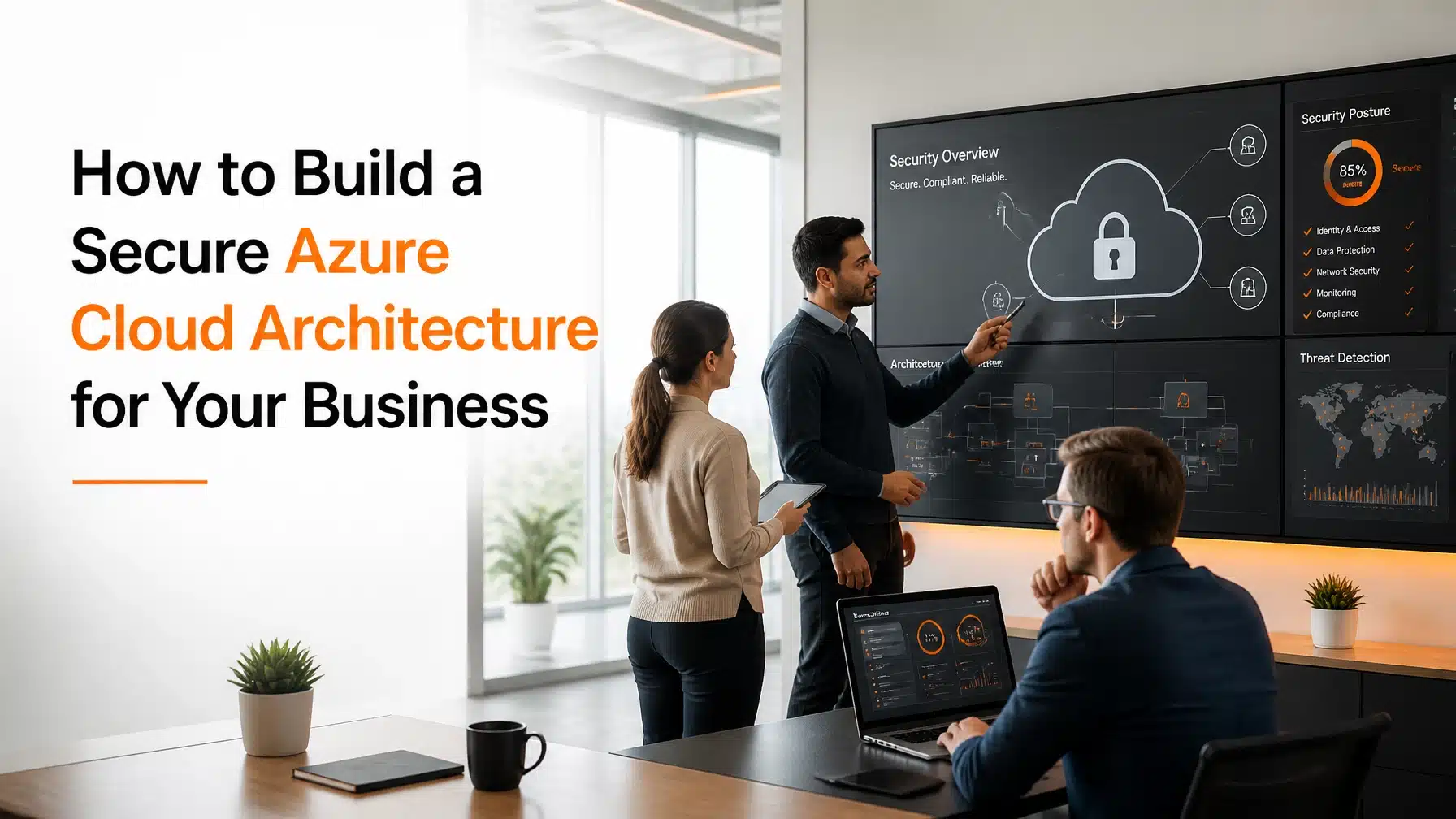
How to Build a Secure Azure Cloud Architecture for Your Business
A secure Azure cloud architecture gives your organization more than cloud access. It gives you control, resilience, and a safer path to growth.
However, many organizations move into Azure too quickly. They migrate workloads, open services, and assign access without a clear security model. As a result, they create risk before they create value. Misconfigurations, weak identity controls, and unclear ownership often cause the biggest problems.
The good news is that you can avoid those mistakes. To build a secure Azure cloud architecture, you need a strong identity strategy, segmented networks, protected data, continuous monitoring, and governance that keeps pace with change. At Terminal B, we help organizations build Azure environments that support growth without sacrificing security or compliance.
Build a Secure Azure Cloud Architecture on the Right Foundation
Cloud security starts with architecture decisions, not after-the-fact tools. Consequently, your first job is to design around business risk, user behavior, and operational needs.
A secure design helps you scale faster. It also reduces rework, audit pain, and incident exposure. In regulated industries, those benefits matter even more.
According to the IBM Cost of a Data Breach Report, cloud misconfigurations and security gaps still drive major losses. Moreover, many of those issues are preventable. That is why your Azure environment should begin with clear ownership, standard policies, and security baselines.
Microsoft states that cloud security is a shared effort. You must secure your identities, data, endpoints, and configurations, even when the platform itself is managed.
Understand the Shared Responsibility Model
Many leaders assume Azure handles all security. It does not.
Microsoft secures the underlying cloud platform. You still secure your data, identities, devices, workloads, and configurations. Therefore, your team must know where Microsoft’s role ends and where yours begins.
That line shifts by service type:
- Infrastructure as a Service (IaaS): You manage more, including operating systems and network controls.
- Platform as a Service (PaaS): Microsoft manages more of the platform, but you still secure access and data.
- Software as a Service (SaaS): You remain responsible for identities, data governance, and user behavior.
If your organization misses this distinction, security gaps appear quickly. As a result, even well-funded cloud projects can stall after one failed audit or one preventable breach.
Protect Access First with Identity-Centered Security
Identity is now the primary security perimeter. Users work from offices, homes, airports, and mobile devices. Consequently, your Azure environment must verify every request before it grants access.
That is where Microsoft Entra ID plays a central role. Entra ID, formerly Azure Active Directory, helps you manage users, authentication, Conditional Access, and identity governance.
A strong identity model for a secure Azure cloud architecture should include:
- Multi-factor authentication (MFA) for all users
- Conditional Access based on risk, device state, and location
- Least privilege permissions for users and admins
- Privileged Identity Management (PIM) for just-in-time admin access
- Regular reviews of guest accounts, stale accounts, and service principals
MFA, or multi-factor authentication, requires users to verify identity with more than a password. That extra step blocks many account takeover attempts. However, MFA alone is not enough. You also need policy-based access controls that reflect real business risk.

Use Zero Trust to Limit Breach Impact
Zero Trust means you verify explicitly, use least privilege, and assume breach. In plain terms, you stop trusting access just because a user is inside your network.
That shift matters because attackers often exploit one valid credential. From there, they move laterally. A Zero Trust model limits that movement.
For example, a finance manager may need Microsoft 365 and one Azure-hosted app. That user does not need broad subscription access, admin rights, or unrestricted remote connectivity. When you narrow permissions, you reduce the blast radius of a compromised account.
If your team needs help applying those controls, our Cybersecurity services can support policy design, enforcement, and user education.
Reduce Exposure with Network Segmentation and Secure Connectivity
A secure Azure cloud architecture should never rely on open access. Instead, it should use segmentation to keep systems separated and traffic controlled.
Azure gives you several ways to do that:
- Virtual Networks (VNets) isolate workloads
- Subnets separate apps, databases, and management functions
- Network Security Groups (NSGs) control allowed traffic
- Azure Firewall adds centralized network filtering
- Azure Bastion enables secure admin access without public RDP or SSH exposure
This layered model reduces unnecessary exposure. Moreover, it makes investigations easier because traffic paths are defined and controlled.

Use NSGs and Azure Firewall for Better Traffic Control
NSGs work like rule-based filters for Azure resources. You can allow or deny traffic by IP, port, protocol, and direction. That helps you restrict communication to approved flows only.
Azure Firewall adds another layer. It gives you centralized filtering, logging, and policy management across your environment. Therefore, your team can enforce more consistent controls as your Azure footprint grows.
In practice, we often see organizations leave management ports exposed during early cloud projects. That shortcut creates risk fast. By contrast, secure connectivity patterns such as Bastion, private endpoints, and filtered ingress reduce attack surface from day one.
Our Managed IT Services team often helps clients standardize these controls before a migration expands.
Protect Data with Encryption, Key Management, and Clear Policies
Your cloud architecture only works if your data remains protected. Therefore, encryption, key control, and classification should be standard, not optional.
Azure supports encryption at rest and in transit. However, you still need to configure services correctly and manage secrets responsibly.
Key protections include:
- Storage Service Encryption for data at rest
- TLS, or Transport Layer Security, for data in motion
- Azure Key Vault for secrets, keys, and certificates
- Data classification and retention rules for sensitive records
- Backup, recovery, and immutability planning for critical workloads
Azure Key Vault is especially important. It keeps secrets out of code, scripts, and shared documents. As a result, you reduce one of the most common causes of exposure.
This matters even more for healthcare, finance, and life sciences organizations. If your environment stores protected health information, investor data, or intellectual property, you need controls that support both security and audit readiness.
For broader cloud support, see our Azure Cloud services.
Strengthen Your Secure Azure Cloud Architecture with Continuous Monitoring
Security controls lose value if no one watches them. Cloud environments change constantly. New users, new workloads, and new integrations can introduce risk within hours.
That is why continuous monitoring belongs in every secure Azure cloud architecture.

Use Microsoft Defender for Cloud to Improve Security Posture
Microsoft Defender for Cloud helps you identify misconfigurations, weak settings, and exposure across Azure resources. It also provides Secure Score recommendations that show where to improve first.
This is useful because most organizations cannot fix everything at once. Therefore, Secure Score helps prioritize the issues that matter most.
Microsoft recommends continuous posture management and threat protection across hybrid and multi-cloud workloads to reduce exploitable gaps before attackers find them.
Source: Microsoft Defender for Cloud
As a Microsoft Security Solution Partner, Terminal B uses these insights to turn security findings into actionable remediation plans.
Use Microsoft Sentinel for Advanced Detection and Response
Microsoft Sentinel is a cloud-native SIEM, or Security Information and Event Management, platform. It ingests logs, correlates alerts, and helps analysts detect suspicious activity across identities, endpoints, cloud apps, and infrastructure.
Sentinel becomes especially valuable when your organization needs:
- Centralized logging
- Threat hunting
- Incident investigation
- Automated response playbooks
- Better visibility across hybrid environments
For example, Sentinel can connect failed sign-ins, impossible travel events, endpoint alerts, and unusual admin activity into a single investigation path. Consequently, your team can respond faster and with more context.
Keep Your Secure Azure Cloud Architecture Compliant as You Grow
Security and compliance should work together. If they do not, your environment becomes harder to manage every quarter.
Growth introduces complexity. New vendors, business units, acquisitions, and remote teams all affect your Azure footprint. Therefore, governance must scale with your organization.
A practical governance model includes:
- Azure Policy to enforce standards automatically
- Naming, tagging, and resource organization standards
- Role-based access control across subscriptions and resource groups
- Regular access reviews and audit logging
- Baselines mapped to HIPAA, NIST, ITAR, or internal requirements
- Ongoing security culture training for employees
Security culture matters because people still influence risk every day. Users approve prompts, share files, click phishing links, and mishandle credentials. As a result, technical controls work best when they are backed by user education and clear accountability.
If you operate in a regulated industry, this discipline pays off quickly. Audits become more predictable, and remediation becomes more manageable.
Why Expert Guidance Helps You Get Azure Right Faster
Most organizations do not struggle because Azure lacks features. They struggle because cloud decisions get made in silos.
Infrastructure teams focus on uptime. Security teams focus on controls. Leadership focuses on speed and cost. However, a secure Azure cloud architecture only works when those goals align.
That is where a strategic advisor helps. Terminal B brings together cloud design, security operations, and compliance planning. We help you avoid rushed deployments, reduce technical debt, and build an Azure environment your business can trust.
Author: Terminal B Team
Bio: The Terminal B Team delivers managed IT, cybersecurity, cloud, and compliance guidance for growth-focused organizations across Texas and beyond. As a Microsoft Security Solution Partner, Terminal B helps businesses build practical, secure technology foundations.
Frequently Asked Questions
What is a secure Azure cloud architecture?
A secure Azure cloud architecture is an Azure environment designed with strong identity controls, segmented networks, protected data, continuous monitoring, and governance policies. It reduces risk while supporting growth, compliance, and operational resilience.
What is the first step in building a secure Azure cloud architecture?
Start with identity. Enforce MFA, define least privilege access, and apply Conditional Access through Microsoft Entra ID. Without strong identity controls, other Azure protections lose effectiveness.
Does Azure automatically make my organization compliant?
No. Azure provides tools and compliance capabilities, but your organization must still configure services, document controls, manage access, and train users. Compliance depends on how you use the platform.
How do Zero Trust principles improve Azure security?
Zero Trust reduces trust-based access. It verifies every request, limits permissions, and assumes attackers may already be inside. Consequently, it lowers the chance that one compromised account becomes a larger breach.
When should my organization use Microsoft Sentinel?
Use Microsoft Sentinel when you need better visibility, centralized log analysis, faster investigation, and automated response. It is especially useful for regulated organizations and growing cloud environments.
Build a More Secure Azure Environment with Terminal B
Your Azure environment should help your organization move faster, not introduce hidden risk. If you want a secure Azure cloud architecture that supports growth, compliance, and day-to-day operations, Terminal B can help.
As a locally owned Microsoft Security Solution Partner, we design and support Azure environments with practical controls, clear governance, and responsive guidance. Schedule a Strategic IT Consultation to review your Azure environment, identify security gaps, and build a roadmap that fits your business.
Social Media Assets
LinkedIn Image
Square Image
Related Posts