Modern organizations often treat technology as a separate department rather than a strategic engine. This…
What Is Managed IT and How Does It Work?
Updated: 6/8/2026
Technology is no longer optional for your organization. It drives revenue, operations, customer experience, and compliance. When systems fail, productivity drops fast, and risk rises even faster. That is why managed IT services have become a non-negotiable business function for growing companies across Texas.
For many organizations, the short answer is simple. Managed IT means you partner with a provider that proactively monitors, supports, secures, and improves your technology environment for a predictable monthly investment. Moreover, modern providers now combine expert engineers with AI-driven operations, which helps reduce downtime, improve response times, and support business growth. According to recent industry reporting, 76% of SMEs rely on MSPs for at least part of their IT operations, which shows just how mainstream this model has become. You can review one current market overview from CloudSecureTech.
At Terminal B, we help Texas organizations use technology like a growth engine rather than a recurring fire drill. We support healthcare, finance, construction, life sciences, and other regulated industries that cannot afford sloppy IT. In other words, we keep your systems steady, secure, and aligned with where your business is headed.
What Is Managed IT?
Managed IT services are an outsourced model for ongoing IT support, maintenance, cybersecurity, and strategic planning. Instead of calling someone only after something breaks, you work with a managed service provider, or MSP, that continuously manages your environment before small issues become large outages.
That shift matters. The old break-fix model waits for pain, then invoices you for the privilege. Managed IT works differently. Your MSP monitors devices, patches systems, responds to user issues, strengthens security, and helps plan future improvements. As a result, you gain more predictable performance and fewer business interruptions.
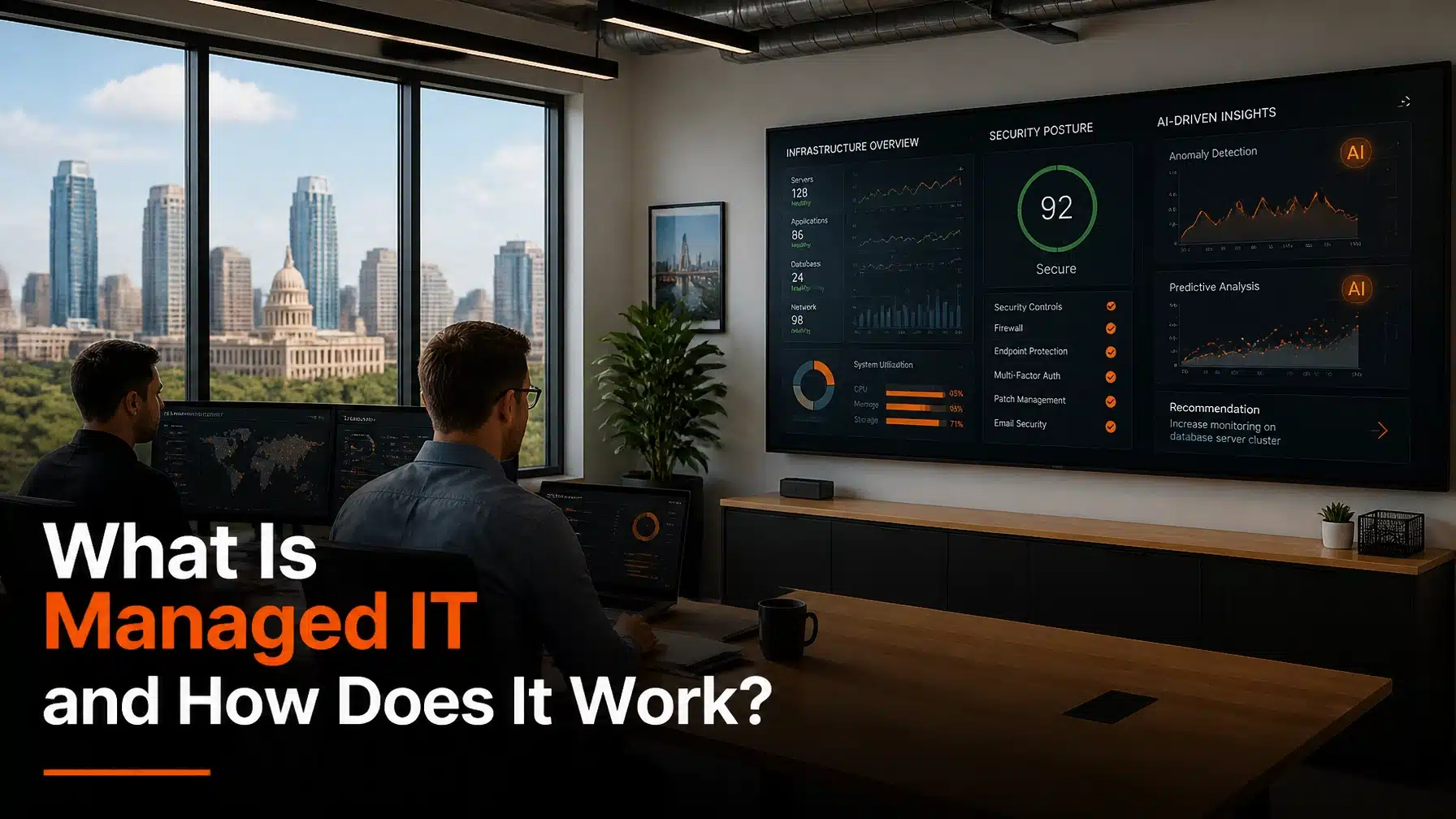
In current environments, managed IT has also moved beyond basic ticket support. Strong MSPs now operate with AI-first service models, often called AIOps, or artificial intelligence for IT operations. AIOps uses machine learning and automation to detect patterns, surface anomalies, prioritize incidents, and trigger remediation faster than manual review alone.
That sounds technical, but the business impact is practical:
- Less downtime
- Faster issue resolution
- More stable cloud environments
- Better security visibility
- Stronger capacity planning
For example, a healthcare group cannot wait until a line-of-business application crashes on a Monday morning. A manufacturing firm cannot lose plant connectivity during production. A finance team cannot ignore suspicious login activity and hope for the best. Consequently, managed IT gives your organization a structured, proactive operating model instead of crossed fingers and emergency calls.
> Greg Bibeau, Founder and CEO of Terminal B:
> “Managed IT used to mean keeping the lights on. Now it means combining people, process, and AI so your organization stays secure, productive, and ready for what comes next.”
What’s Included in Managed IT Services?
The answer depends on the provider, but strong managed IT services should cover much more than password resets and printer drama. In a current environment, your organization needs layered support across users, infrastructure, cloud platforms, security, and compliance.
Help Desk Support
Your team needs fast answers when devices, applications, or connectivity fail. A managed help desk handles day-to-day support requests, user troubleshooting, onboarding, offboarding, and escalation management.
At Terminal B, our Managed IT Services model includes responsive support for both Windows and Mac environments. That matters if your workforce spans healthcare admins, financial teams, remote executives, or creative users who refuse to give up their Macs. Frankly, they are not wrong.
MDR and Cybersecurity
Cybersecurity is now central to managed IT. MDR, or Managed Detection and Response, combines continuous monitoring, investigation, and response to security threats. Instead of waiting for antivirus to catch up, MDR helps your organization identify and contain suspicious behavior in real time.
A modern managed IT stack often includes:
- Endpoint detection and response
- Patch management
- Multi-factor authentication, or MFA
- Mobile device management, or MDM
- Email security controls
- Security awareness training
- Incident response planning
- Optional SOC monitoring and Zero Trust controls
This matters because users remain a major part of the risk picture. Technology blocks a lot, but security culture and user education still decide whether a phishing link gets ignored or clicked. Therefore, the best managed IT programs combine tools with training.
Cloud and Microsoft 365 Management
Managed IT also includes cloud operations. That can mean Microsoft 365 administration, Azure governance, identity management, licensing support, collaboration tools, backups, and secure remote access.
As a Microsoft Security Solution Partner, Terminal B helps organizations manage Microsoft 365 and Azure environments with direct expertise. For a finance firm, that might mean securing conditional access and SharePoint permissions. For a construction company, it could mean supporting remote project teams with stable collaboration and secure device access. For a healthcare group, it often means balancing usability with HIPAA-driven safeguards.
AIOps Monitoring
AIOps is one of the biggest current changes in managed IT delivery. Rather than relying only on static alerts, AI-driven monitoring platforms analyze event data, performance trends, and endpoint behaviors to identify issues earlier.
That lets your MSP move from reactive support to autonomous proactive maintenance. Research on AI-oriented IT operations has shown more than 30% reductions in mean time to resolution in some environments, and broader enterprise studies continue to show meaningful gains in uptime and incident handling speed. For example, Microsoft-related live operations research found large reductions in resolution times for security and endpoint workflows, including a 54.34% reduction in time to resolve device policy conflicts in one study. See arXiv research on live IT operations productivity gains and arXiv research on Generative AI in SOC operations.
Compliance and vCISO Guidance
For regulated industries, managed IT also has to support governance. That includes controls, audit trails, risk assessments, policy alignment, and executive guidance.
A vCISO, or virtual Chief Information Security Officer, provides strategic security leadership without requiring a full-time executive hire. This role helps your organization align security controls with standards such as HIPAA, NIST, CMMC, or ITAR. Moreover, it turns security from a checklist into a business function.
If you operate in healthcare, manufacturing, defense-adjacent environments, or financial services, this is not optional. It is operational hygiene.
How Managed IT Services Work in Practice
Managed IT should feel structured, measurable, and proactive. Here is what the process looks like in a current service model.
Assessment and Roadmap
Everything starts with discovery. Your MSP reviews infrastructure, endpoints, cloud systems, identity controls, security gaps, user workflows, vendor sprawl, and compliance requirements.
This stage answers key questions:
- What do you have today?
- Where are the risks?
- What is underperforming?
- Which systems create unnecessary friction?
- What should be fixed now versus later?
Then the provider builds a roadmap. That roadmap prioritizes stability, security, compliance, and business goals. For example, a healthcare practice may need MFA enforcement, device encryption, and documented access controls first. Meanwhile, a construction firm may need jobsite connectivity, laptop lifecycle planning, and Microsoft 365 standardization. Different industries, same principle: start with facts, then build a plan.
AI-Driven Onboarding
Once the roadmap is set, onboarding begins. In current MSP environments, onboarding is faster and more accurate because AI tools help organize asset data, identify device patterns, flag policy gaps, and support documentation.
That does not remove the human team. It makes the human team better. Engineers still validate systems, standardize configurations, and align policies. However, AI helps reduce blind spots and shortens the time between transition and stable operations.
This is especially useful when your organization has inherited years of technical debt, shadow tools, inconsistent licensing, or undocumented admin access. Sadly, that is not rare. It is Tuesday.
Autonomous Proactive Maintenance
This is where managed IT starts paying off every day. Instead of waiting for user complaints, the MSP uses monitoring, automation, scripting, and AIOps to spot trouble early.
That includes tasks such as:
- Applying patches
- Monitoring storage, memory, and performance trends
- Identifying failed backups
- Detecting unusual login patterns
- Correcting configuration drift
- Replacing aging hardware before it fails
- Escalating security anomalies quickly
AIOps-driven workflows now help reduce downtime materially. Current research and enterprise case studies show roughly 30% or greater improvements in operational resolution metrics, while AI-enabled support workflows can deliver 50% to 70% faster resolution times in specific environments. For example, Microsoft-focused live operations research found 54.34% faster resolution for device policy conflicts, while other enterprise IT support studies report reductions in diagnostic effort and significant improvements in support efficiency.
24/7/365 Support
Your users do not only work from 8 to 5, and cyber threats certainly do not. Managed IT support should include continuous support coverage for employees, devices, and critical systems.
This matters for:
- Remote teams working across time zones
- Executives traveling with constant connectivity needs
- After-hours production schedules
- Healthcare environments with urgent operational dependencies
- Security incidents that cannot wait until morning
A strong support model handles both user-facing issues and backend systems. In practice, that means your staff gets help when they need it, while your infrastructure also receives ongoing operational care.
Strategic Reviews and vCISO Roadmapping
The best MSP relationships do not stop at tickets. They include regular business reviews, security reviews, lifecycle planning, budget alignment, and risk management discussions.
These reviews help answer:
- Are support trends improving?
- Are recurring issues being eliminated?
- Is security maturity increasing?
- Are cloud costs under control?
- Are compliance obligations being addressed?
- What should happen next quarter?
That strategic layer is where managed IT becomes a growth function. It helps you plan office expansions, cloud migrations, compliance initiatives, M&A transitions, or application modernization with fewer surprises.
Why Terminal B?
You have options, so why choose Terminal B?
First, we are locally owned. We are not a private-equity roll-up trying to funnel your organization through a generic support queue. We build long-term partnerships with Texas businesses that want accountability, strategy, and responsive support.
Second, we bring deep experience in regulated industries. We work with organizations that face real compliance pressure, including healthcare, finance, life sciences, and other high-stakes sectors. That means we understand why documentation, access control, audit readiness, and operational continuity actually matter.
Third, we pair responsive service with current cloud and security expertise. As a Microsoft Security Solution Partner, we help your organization navigate Microsoft 365, Azure, identity, security, and licensing with direct knowledge and practical guidance.
Finally, we deliver managed IT through our Skytivity model, which combines proactive support, backend administration, cybersecurity, and strategy. That approach helps organizations reduce cost, improve performance, and stay ahead of issues rather than reacting to them late.
Industry reporting continues to show why this model works. Businesses using MSPs often see 20% to 30% lower IT costs and 15% to 25% productivity gains through standardization, reduced downtime, and expert support. When AI-enhanced workflows are added, support organizations can also achieve materially faster response and resolution metrics.
If your organization feels like IT is consuming too much time, creating too much risk, or slowing down growth, the problem is usually not technology alone. It is the operating model around it.
Ready to See How Managed IT Services Work for Your Organization?
If you want IT that is proactive, secure, and aligned with your business goals, now is the right time to evaluate your model. Terminal B helps Texas organizations simplify operations, strengthen cybersecurity, and build a practical roadmap for growth.
Schedule a strategy session with our team to see how our managed IT services can support your organization.
Frequently Asked Questions
What is the difference between managed IT services and traditional IT support?
Traditional IT support often reacts after something breaks. Managed IT services focus on prevention, continuous monitoring, security, maintenance, and long-term planning. As a result, your organization gets fewer emergencies and more predictable performance.
Are managed IT services only for small businesses?
No. Small and mid-sized businesses use managed IT heavily, but larger organizations also rely on MSPs for specialized support, security operations, cloud management, compliance, and strategic guidance. This is especially common when internal teams need extra capacity or niche expertise.
How do managed IT services support regulated industries?
Managed IT providers help implement controls, documentation, monitoring, encryption, identity management, and policy alignment that support frameworks such as HIPAA, NIST, CMMC, and ITAR. For healthcare, finance, and manufacturing organizations, that means stronger audit readiness and lower operational risk.
Does AI replace the human IT team in managed services?
No. AI improves visibility, automation, and response speed, but experienced engineers still make decisions, validate actions, and guide strategy. The best current model combines AI efficiency with human expertise. Think of it as better operations, not robot cosplay.
How do I know if my organization is ready for managed IT services?
If you deal with recurring outages, inconsistent support, rising security concerns, compliance pressure, or too much internal time spent on IT issues, you are likely ready. A formal assessment will show where your environment needs stabilization, standardization, and strategic planning.
About the Author: Greg Bibeau
Greg Bibeau is the Founder and CEO of Terminal B, the premiere MSP in Central Texas. With 3 decades of experience, he helps organizations turn IT from a cost center into a strategic advantage.
He has guided companies across healthcare, finance, and other regulated industries through cybersecurity, cloud modernization, and long-term IT planning. Under his leadership, Terminal B has earned a reputation as the trusted, locally owned partner businesses call when precision and accountability matter.
Related Posts