Construction companies face IT challenges in construction industry because their work happens across offices, jobsites,…
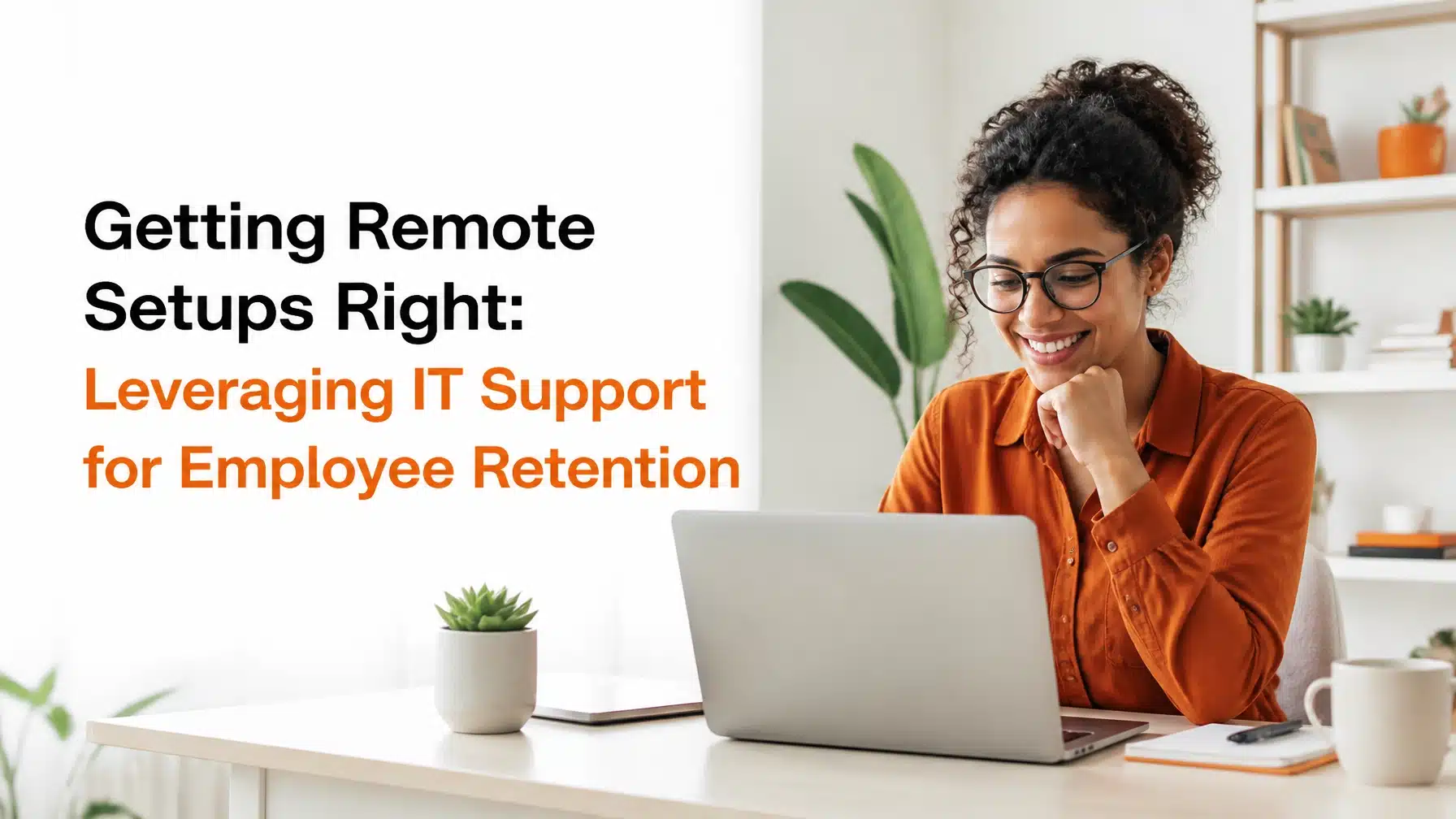
Getting Remote Setups Right: Leveraging IT Support for Employee Retention
Updated: 6/3/2026
The modern workplace is not defined by office walls. It is defined by digital connections. For remote and hybrid teams, your technology stack is not just a set of tools. It is the environment where your culture lives, where trust is reinforced, and where employees decide whether work feels smooth or exhausting.
That is why remote employee retention IT support deserves executive attention. Poor IT support creates daily frustration, slows down work, and sends a message that your organization does not value employees’ time. Consequently, weak remote setups quietly push good people toward disengagement, burnout, and eventually turnover. Strong IT support does the opposite. It builds confidence, accelerates productivity, and helps employees feel supported from day one.
If you want the short answer, here it is: reliable, proactive IT support improves retention because it reduces digital friction, strengthens onboarding, and makes flexibility sustainable. Recent research supports that conclusion. TeamViewer reports that more than one-third of U.S. workers have considered quitting over IT dysfunction (TeamViewer). Meanwhile, a study published in Nature found that hybrid work with two remote days reduced attrition by one-third without harming performance (Nature). In other words, flexibility helps retention, but only when technology actually works.
The Invisible Bond Between IT and Talent
Remote employees experience your organization through screens, apps, devices, and support interactions. They do not walk past a buzzing office, overhear leadership conversations, or swing by a coworker’s desk for help. Instead, they judge your organization through the laptop that arrives, the login process they face, the speed of their applications, and the responsiveness of your support team.
That creates an invisible bond between IT and talent.
When your remote environment works well, employees feel respected. They can start quickly, communicate easily, and focus on their jobs instead of troubleshooting. However, when systems fail, employees feel isolated. They lose time, miss deadlines, and wonder why basic tasks take so much effort.
For many leaders, retention conversations focus on pay, managers, and career growth. Those issues matter. Yet the digital workplace now shapes all of them. A high-performing manager cannot coach effectively if collaboration tools lag. A strong compensation package loses impact if daily work feels chaotic. A promising role becomes less attractive when every login requires a fight.
In healthcare, this becomes especially serious. If a remote billing specialist cannot access cloud systems reliably, claims slow down and patient service suffers. In finance, a delay in secure file access can disrupt client reporting and increase compliance risk. In manufacturing, a remote operations manager who cannot connect to dashboards or shared documents loses visibility at exactly the wrong moment. Therefore, technology issues do not stay inside IT. They affect morale, output, client trust, and retention all at once.
> “Hybrid working from home improves retention without damaging performance.”
> Nature
That line matters because it confirms something many business leaders have sensed for years. Employees value flexibility. However, flexibility only works when the digital experience supports it.
The True Cost of Digital Friction
What digital friction really means
Digital friction is any unnecessary hurdle that prevents an employee from doing their best work. It includes obvious problems, such as a broken laptop or failed VPN connection. It also includes quieter issues, such as slow application launches, repeated password resets, unstable Wi-Fi policies, clunky file sharing, and confusing access workflows.
These interruptions seem minor in isolation. Together, they shape the employee experience.
A remote employee might lose five minutes here, ten minutes there, and thirty minutes during a support escalation. By the end of a week, that employee has lost real productivity and patience. As a result, frustration compounds. Confidence drops. Motivation follows.
TeamViewer’s research underscores the scale of the problem. The company found that more than one-third of U.S. workers have considered quitting because of IT dysfunction (TeamViewer). That is not a technical inconvenience. That is a retention issue.
TOPdesk found another telling signal. 72% of IT professionals report that poor IT interactions negatively impact job satisfaction (TOPdesk coverage). Even the people responsible for keeping systems running feel the impact when tools, workflows, and support models break down.

Why digital friction becomes silent turnover
Not every employee quits quickly. Many disengage first.
Silent turnover happens when employees remain on payroll but mentally check out. They stop raising ideas. They avoid collaborative work. They do the minimum because every task feels harder than it should. Their issue is not laziness. Their issue is that friction has trained them to expect resistance.
You can often spot silent turnover through patterns such as:
- Employees delaying nonessential work because systems feel unreliable
- New hires hesitating to ask for help after repeated setup issues
- Managers reporting low energy in remote meetings
- Higher help desk volumes tied to recurring endpoint or access problems
- Workarounds that bypass approved systems and create security risk
In regulated industries, silent turnover creates more than morale problems. It also introduces compliance exposure. For example, if a remote healthcare employee struggles with approved file-sharing tools, they may resort to personal email or local downloads. If a finance user cannot access systems smoothly, they may store sensitive records in unsecured locations. Consequently, poor IT support can degrade both retention and risk posture at the same time.
The business cost is broader than downtime
Digital friction affects:
- Retention through frustration and burnout
- Productivity through avoidable delays
- Security through shadow IT and risky workarounds
- Culture through reduced trust in leadership and support functions
- Customer experience through slower internal execution
That is why smart organizations treat digital friction as a strategic issue, not a help desk metric.
Onboarding vs. Orientation: The High-Stakes First 90 Days
Orientation is paperwork. Onboarding is the process of becoming a productive, confident member of the team.
That distinction matters because many organizations confuse the two. They send forms, schedule HR sessions, and consider the new hire “onboarded.” Meanwhile, the employee is still waiting for a laptop, missing application access, or fumbling through multi-factor authentication.
For remote teams, the first real impression of your company is often the box that lands on a new hire’s doorstep.
If the laptop arrives late, damaged, or poorly configured, the message is clear. If credentials fail on day one, the message gets louder. However, if the employee opens a clean, secure, well-prepared device and gets immediate support, your organization communicates competence and care.
That first impression matters because effective onboarding can increase retention by up to 50% and productivity by 62%. Those numbers show why onboarding is not an administrative task. It is an operational advantage.
Why IT shapes the emotional tone of onboarding
A remote employee cannot absorb office culture through hallway conversations. Instead, they rely on signals embedded in the digital experience:
- Did the laptop arrive on time?
- Did the employee know what to expect?
- Were key apps ready to use?
- Was the first login simple and secure?
- Did someone check in before problems escalated?
When IT gets those basics right, it forms an invisible bond with the new hire. The employee feels seen before they have even met most of the company. That feeling drives confidence. Confidence drives early productivity. Productivity reinforces belonging.
In contrast, a poor technical start creates doubt. New hires ask themselves whether dysfunction is normal. They begin their employment trying to recover lost time instead of building momentum.
A real-world example
Consider a remote hire in a healthcare practice support role. The employee needs a compliant laptop, access to Microsoft 365, secure messaging, line-of-business applications, and role-based permissions. If provisioning stalls, the practice manager scrambles, the employee waits, and the first week gets consumed by troubleshooting.
Now compare that with a proactive process. The device ships preconfigured. Microsoft Intune applies policies on first sign-in. MFA, or multi-factor authentication, adds a second verification step to protect accounts. Application access is mapped to the employee’s role. IT hosts a brief welcome call. The employee starts contributing immediately.
That difference is not cosmetic. It affects retention, trust, compliance, and speed to value.

Digital Employee Experience (DEX): The New Retention Metric
What DEX means in plain language
Digital Employee Experience, or DEX, is the sum of every digital interaction an employee has at work. It includes device health, login reliability, application performance, collaboration tools, support quality, and how easy it is to complete routine tasks.
If employee experience once centered on office layout and manager relationships, DEX now sits beside them. For remote teams, DEX often matters more because technology mediates nearly every interaction.
Ivanti reports that 90% of leadership teams believe prioritizing DEX directly results in higher retention (Ivanti). That finding reflects a major shift. Leaders increasingly understand that poor digital experiences erode loyalty just as surely as poor management does.
From IT as mechanic to IT as concierge
Older support models treated IT like a repair shop. Something broke. A user submitted a ticket. IT fixed the issue eventually.
That model is no longer enough.
Modern organizations need IT as a concierge, not just IT as a mechanic. A concierge model anticipates needs, reduces friction before users complain, and guides employees through secure, productive workflows. It focuses on experience, not just incidents.
That shift changes the support conversation:
- Instead of waiting for a laptop battery to fail, IT replaces it early.
- Instead of reacting to app slowness, monitoring tools identify degradation first.
- Instead of forcing users through confusing processes, IT simplifies access and training.
- Instead of measuring ticket closure only, leaders measure user effort and work disruption.
Proactive monitoring protects morale
Proactive monitoring is one of the clearest ways to improve remote employee retention IT support outcomes. If your organization can detect low disk space, unhealthy batteries, repeated app crashes, patch failures, or unstable connectivity before the employee feels the impact, you reduce interruption and show employees that support is attentive.
This matters in sectors with little margin for error.
- In finance, proactive endpoint monitoring helps remote analysts avoid failed client meetings or delayed reports.
- In manufacturing, proactive support helps field and operations teams access dashboards without interruption.
- In healthcare, proactive remediation keeps administrative staff productive and reduces the temptation to bypass approved systems.
> “High-quality DEX correlates with higher productivity, satisfaction, and retention.”
> Ivanti
When employees feel that technology works for them, they spend less energy fighting systems and more energy serving customers, patients, and colleagues.
The Hybrid Advantage and the Retention ROI
A recent study published in Nature found that hybrid work, specifically two days remote, reduced attrition by one-third without harming performance (Nature). That is one of the strongest data points available for leaders shaping workforce strategy.
However, hybrid work only delivers that retention benefit if your infrastructure supports seamless movement between home, office, and travel.
Without strong IT support, flexibility becomes a burden.
Employees end up juggling inconsistent devices, unreliable VPNs, awkward file access, and collaboration tools that work differently depending on location. Rather than feeling empowered, they feel inconvenienced. As a result, the promised benefit of flexibility disappears.
What makes work-from-anywhere actually work
A successful hybrid environment usually depends on several layers working together:
- Endpoint standardization so laptops behave consistently
- Cloud collaboration tools such as Microsoft Teams and SharePoint
- Identity and access controls with MFA and conditional access
- Secure connectivity through properly configured VPN or cloud-native access models
- Desktop as a Service (DaaS) for secure access to business applications from almost any location
- Azure infrastructure for scalable cloud applications, identity, and virtual environments
DaaS, or Desktop as a Service, delivers a cloud-hosted desktop experience to users on demand. It helps your organization centralize management while giving employees a consistent workspace across devices. For regulated organizations, DaaS can also simplify security controls and data handling.
Azure provides the cloud backbone for many modern remote environments. When designed well, Azure supports secure identity, application hosting, backup, disaster recovery, and virtual desktop strategies. However, if Azure and Microsoft 365 are deployed without governance, the user experience can quickly become fragmented.
That is why flexible work is never just an HR policy. It is an IT operating model.

The Ultimate IT Checklist for Remote Onboarding
Strong remote onboarding is deliberate. It does not happen because a few smart people work hard at the last minute. It happens because your organization follows a repeatable process.
Pre-Onboarding
Before day one, your IT team should complete the groundwork.
- Procure approved hardware that fits the employee’s role
- Prepare zero-touch deployment using Microsoft Intune
- Apply security baselines, encryption, and endpoint protection
- Create user credentials and role-based access
- Configure Microsoft 365 apps, Teams, SharePoint, and line-of-business tools
- Validate shipping timelines and confirm delivery
- Send simple setup instructions before the device arrives
Zero-touch deployment means an employee can receive a new device, sign in, and have policies, apps, and security settings apply automatically. This reduces setup delays and keeps standards consistent across remote users.
Day 1
Day one should feel guided, personal, and secure.
- Hold a short welcome call with IT
- Walk the employee through first login
- Enroll the user in MFA
- Confirm email, chat, calendar, and file access
- Test webcam, headset, docking station, and home connectivity
- Explain how to contact the help desk
That welcome call matters more than many companies realize. It humanizes support. It gives the employee a name and face to trust. Consequently, future support interactions feel less transactional.
Week 1
The first week should move beyond setup and into productivity.
- Train the employee on Teams, SharePoint, CRM, ERP, and other required apps
- Review secure document handling and data sharing expectations
- Check printing, scanning, and device peripherals if relevant
- Offer ergonomic guidance for monitors, keyboard placement, and workspace setup
- Identify workflow bottlenecks before they become habits
In finance, this may include secure document workflows and reporting platforms. In healthcare, it may include access controls and compliant communications. In manufacturing, it may include dashboards, CAD systems, or project collaboration tools.
Month 1
The first month should include feedback, tuning, and reinforcement.
- Check system performance and battery health
- Review application stability and access logs
- Ask the employee where technical friction still exists
- Confirm backups, patching, and endpoint management remain healthy
- Refine permissions and software assignments based on real usage
This step closes the loop. It shows the employee that your organization values not just deployment, but actual usability.
Scaling the Human Experience with Managed IT Services
Why many SMBs struggle internally
Small and mid-sized businesses often want to provide a polished remote experience. However, they run into predictable constraints:
- Limited internal IT staffing
- Inconsistent procurement processes
- Reactive ticket handling
- Gaps in after-hours support
- Weak documentation and onboarding workflows
- Limited expertise across Microsoft 365, Azure, security, and endpoint management
As a result, remote support quality varies from one employee to the next. One new hire gets a flawless setup. Another spends three days waiting for access. That inconsistency damages trust quickly.
How managed IT services close the gap
A well-structured managed IT partner gives your organization scale, repeatability, and specialized expertise. Instead of reinventing onboarding and support each time, you can standardize processes across the employee lifecycle.
For organizations in Texas and beyond, working with an Austin-based provider like Terminal B can bring that support closer to your business culture and compliance needs. Our Managed IT Services and Cybersecurity services are designed to reduce friction while protecting the environments remote teams rely on every day.
With a proactive managed services model, your organization can benefit from:
- 24/7/365 help desk support for remote workers
- Standardized onboarding and offboarding
- Endpoint monitoring and health remediation
- Microsoft 365 and Azure administration
- Identity, MFA, and access management
- Security awareness training and policy alignment
- Better support for highly regulated workflows
That combination helps support feel personal even when it is highly structured.
The role of Microsoft Security Solution Partners
A Microsoft Security Solution Partner brings more than licensing knowledge. The right partner helps you design a remote environment that is secure, compliant, and easy to use.
That matters because security and usability often get treated as opposing forces. In reality, the best environments achieve both. For example:
- MFA protects accounts without creating constant confusion
- Conditional access protects sensitive data while preserving productivity
- Intune simplifies device management across remote endpoints
- Microsoft 365 governance improves collaboration without losing control
- Azure enables resilient, scalable access to apps and desktops
When implemented well, these tools reduce user effort and strengthen security culture at the same time.
If you are evaluating support models, you may also find it useful to read why outsourced IT is the way to go for organizations that need broader coverage and stronger consistency.

Conclusion: Technology as a Tool for Respect
Great IT support is not just an operational function. It is an act of respect for your employees’ time, focus, and talent.
Remote and hybrid work have raised the stakes. Employees now experience your organization through digital tools first. Therefore, every laptop shipment, login flow, support interaction, and application delay sends a message. It tells employees whether your organization is prepared, attentive, and serious about helping them succeed.
When you reduce digital friction, you do more than improve uptime. You strengthen onboarding, reinforce culture, protect security, and make flexibility sustainable. Most importantly, you show your people that their work matters enough to deserve a better environment.
If your organization wants to improve retention by improving the digital workplace, book a strategy session with Terminal B. We can help you design a remote support model that feels seamless for employees and practical for leadership.
Frequently Asked Questions
How does IT support influence employee retention in remote teams?
IT support shapes the daily work experience for remote employees. When devices, apps, and access work reliably, employees stay productive and feel supported. However, when technical issues pile up, frustration grows and retention suffers.
What is digital friction in a remote workplace?
Digital friction is any unnecessary obstacle that slows work or makes routine tasks harder. Examples include slow laptops, login failures, poor app performance, repeated password resets, and confusing support processes.
Why is onboarding so important for remote employee retention IT support?
Remote employees form early impressions through technology. If devices arrive late or access fails, trust drops immediately. Conversely, a smooth first week creates confidence, accelerates productivity, and improves the odds that employees stay engaged.
How does DEX differ from traditional IT support metrics?
Traditional metrics often focus on ticket volume and closure time. DEX measures the actual quality of the employee’s digital experience, including device health, app performance, ease of access, and support effort. As a result, DEX gives leaders a better view of how technology affects retention and productivity.
How can a managed IT provider help remote and hybrid organizations?
A managed IT provider can standardize onboarding, monitor endpoints proactively, deliver 24/7/365 support, and strengthen security across Microsoft 365 and Azure environments. This helps your organization offer a more consistent and scalable experience to remote employees.
About Greg Bibeau
Greg Bibeau is the President and Co-Founder of Terminal B, a premier Managed IT Service Provider (MSP) based in Austin, Texas. Since 2004, Greg has been dedicated to helping businesses leverage technology for growth and security. With over 20 years of experience in the IT industry, he is a trusted advisor to executives and business owners, providing strategic guidance on cybersecurity, cloud solutions, and proactive IT management. Greg is committed to delivering exceptional client experiences and fostering long-term partnerships.
Related Posts